gptai账号下单全集合
全球最强AI--官方独享--会员--网页完整版--使用教程(支持所有官方会员最新模型)
API接口调用注意事项,key的使用跟设置教程
收藏本站,域名(网站地址)不定期更新!chatgpt免翻墙使用平台:人工微信咨询:chuyun8858
全球最强AI--官方独享--会员--网页完整版--使用教程(支持所有官方会员最新模型)
全球最强AI--官方独享--会员--网页完整版--使用教程(支持所有官方会员最新模型)
chatgpt账号价格介绍-智云团队旗下 所有网站,收藏本站!以免被墙!如需人工请加微信chuyun8878
智云ai聊天系统,注册使用教程
智云聊天使用
智云ai绘画系统介绍
全球最强AI--官方独享--会员--网页完整版--使用教程(支持所有官方会员最新模型)
全球最强AI--官方独享--会员--网页完整版--使用教程(支持所有最新模型)
claude pro 登录使用教程-有问题处理不了的联系微信chuyun8878给1V1处理哦
super grok超级会员登录使用教程(支持grok 4 think模式,deepsearc高级模型,文件分析,联网搜索,高级语音模型)
智云兑换码使用教程
Claude Code跟openai codex 帮助文档
openai codex登录安装教程
sora2邀请码,有问题联系人工chuyun8878处理的
gemini登录使用教程
gpt-image-2画图模型使用案例教程
GPT图像生成模型提示指南
MANUS使用教程
MANUS用邮箱的注册教程
sora 2 api接口调用教程
gpt套餐介绍
本文档使用 MrDoc 发布
-
+
首页
GPT图像生成模型提示指南
# GPT图像生成模型提示指南 ## 1. 引言 OpenAI 的 GPT 图像生成模型专为高质量视觉效果和高度可控的创意工作流程而设计。它们非常适合专业设计任务和迭代内容创作,并根据工作流程的不同,支持高质量渲染和低延迟应用场景。 主要功能包括: - **高保真照片级真实感**,自然光照,精准材质,以及丰富的色彩渲染 - **灵活的质量-延迟权衡**,允许在较低设置下更快地生成图像,同时仍能超越上一代图像模型的视觉质量。 - **强大的面部和身份保留功能,**适用于编辑、角色一致性和多步骤工作流程 - **可靠的文本渲染,**字体清晰,布局一致,图像内部对比度强。 - **复杂的结构化视觉元素**,包括信息图、图表和多面板组合。 - **精准的风格控制和风格迁移,**只需极少的提示,即可支持从品牌设计系统到美术风格的各种应用场景。 - **强大的现实世界知识和推理能力**,能够准确地描绘物体、环境和场景。 本指南重点介绍提示模式、最佳实践以及从实际生产用例中提取的示例提示`gpt-image-2`。它是我们功能最强大的图像模型,具有更高的图像质量、更佳的编辑性能以及对生产工作流程更广泛的支持。`low`质量设置尤其适用于对延迟敏感的使用场景,而`medium`和`high`仍然是追求最高保真度时的理想选择。 ## 1.1 OpenAI 图像模型参数 本节是对本指南中涉及的图像模型的参考,重点关注: - 型号名称 - 支持的`outputQuality`值 - 支持的`input_fidelity`值 - 支持`size`/分辨率行为 - 按工作流程推荐的用例 ## 模型概述 截至 2026 年 4 月 21 日,OpenAI 提供以下图像模型。 | 模型 | `outputQuality` | `input_fidelity` | 决议 | 推荐用途 | |----|----|----|----|----| | `gpt-image-2` | `low`, `medium`, `high` | 已禁用。`input_fidelity`此功能不适用于此模型,因为默认情况下输出已经是高保真度。 | 任何满足以下约束条件的决议 | 推荐用于新版本默认设置。适用于最高质量的图像生成和编辑、文字密集型图像、照片级真实感图像、合成、对身份敏感的编辑,以及重试次数比成本更低更重要的工作流程。 | | `gpt-image-1.5` | `low`, `medium`, `high` | `low`,`high` | `1024x1024`, `1024x1536`, `1536x1024`, `auto` | 在迁移过程中,对于已验证的现有工作流程,请保留此方法。对于新项目,`gpt-image-2`尤其是在质量、编辑可靠性或灵活尺寸至关重要的情况下,建议优先选择其他方法。 | | `gpt-image-1` | `low`, `medium`, `high` | `low`,`high` | `1024x1024`, `1024x1536`, `1536x1024`, `auto` | 仅兼容旧版本。如果您要启动新的工作流程或刷新提示,请迁移到旧版本;仅当您需要在验证升级期间获得短期稳定性时才`gpt-image-2`保留旧版本。`gpt-image-1` | | `gpt-image-1-mini` | `low`, `medium`, `high` | `low`,`high` | `1024x1024`, `1024x1536`, `1536x1024`, `auto` | 当成本和吞吐量是主要限制因素时可以使用:大批量变体生成、快速构思、预览、轻量级个性化以及不需要最强生成或编辑性能的草稿资产。 | ### `gpt-image-2`尺寸选项 `gpt-image-2``size`只要满足以下所有约束条件,就支持参数中传递的任何分辨率: - 最大边长必须小于`3840px` - 两条边都必须是 的倍数`16` - 长边与短边之比不得大于`3:1` - 总像素数不得超过`8,294,400` - 总像素数不得少于`655,360` 如果输出图像超过`2560x1440`像素数(`3,686,400`总像素数),通常称为 2K,则将其视为实验图像,因为超过此尺寸后结果可能会更加不稳定。 ### 常用`gpt-image-2`尺码 以下是一些符合上述限制条件的有用参考点: | 标签 | 解决 | 笔记 | |----|----|----| | 高清肖像 | `1024x1536` | 标准肖像选项 | | 高清风景 | `1536x1024` | 标准景观选项 | | 正方形 | `1024x1024` | 良好的通用默认值 | | 2K / QHD | `2560x1440` | 流行的宽屏格式和推荐的可靠性上限`gpt-image-2` | | 4K/超高清 | `3840x2160` | 实验性上限目标。如果严格执行最大边规则`< 3840`,则向下取整到最接近的有效大小,例如`3824x2144` | ### 何时使用哪种型号 - 建议将其作为大多数生产工作流程的默认选项。它是整体性能最强的模型,也是当前团队或需要高质量输出的`gpt-image-2`团队的理想升级目标。`gpt-image-1.5``gpt-image-1` - 当速度和单位经济效益是主要考虑因素时,请选择`gpt-image-2`“质量:低”。这种设置在许多应用场景下都能保证良好的质量,尤其适合大批量生成和实验。您也可以尝试`gpt-image-1-mini`其他设置,但我们发现“质量:低”同样适用。 - 保留`gpt-image-1.5`或`gpt-image-1`仅用于向后兼容,同时验证提示迁移、回归测试输出,或维护尚未准备好迁移的旧工作流程。 ### 推荐的升级路径来自`gpt-image-1.5`和`gpt-image-1` 对于当前使用`gpt-image-1.5`或的工作流程`gpt-image-1`,建议如下: - 升级到`gpt-image-2`适用于面向客户的资产、逼真的生成、编辑密集型流程、品牌敏感型创意、图像中的文字工作,以及任何需要提高首张质量以减少人工审核或重做的工作流程。 - `gpt-image-1-mini`只有当主要目标是降低大批量探索性或低风险图像的成本时,才考虑使用传统模型代替传统模型。 - 在迁移过程中,一开始尽量保持提示基本相同,然后在比较了实际工作负载的输出质量、延迟和重试率之后再进行调整。 ## 2. 提示基本原理 以下提示基本原理适用于 GPT 图像生成模型。它们基于在 alpha 测试中反复出现的模式,这些模式涵盖了图像生成、编辑、信息图表、广告、人物图像、UI 模型和合成工作流程等多个方面。 - **结构 + 目标:**提示语应按一致顺序编写(背景/场景 → 主题 → 关键细节 → 限制条件),并注明预期用途(广告、UI 模型、信息图),以确定“模式”和润色程度。对于复杂的需求,请使用简短的带标签的段落或换行符,而不是一个长段落。 - **提示格式:**使用最易于维护的格式。只要意图和限制清晰,简洁的提示、描述性的段落、类似 JSON 的结构、指令式的提示以及基于标签的提示都可以很好地发挥作用。对于生产系统,应优先考虑易于浏览的模板,而不是复杂的提示语法。 - **具体性 + 质量提示:**明确描述材质、形状、纹理和视觉媒介(照片、水彩、3D渲染),仅在必要时添加针对性的“质量控制点”(例如,*胶片颗粒*、*纹理笔触*、*微距细节*)。对于照片级写实效果,直接在提示中包含“照片级写实”一词,以强烈激发模型的写实模式。类似“真实照片”、“使用真实相机拍摄”、“专业摄影”或“iPhone照片”等短语也有帮助,但详细的相机规格可能会被随意解读,因此主要用于营造整体视觉效果和构图,而非精确的物理模拟。 - **延迟与保真度:**对于对延迟敏感或高容量的应用场景,请先`quality="low"`评估其是否满足您的视觉需求。在许多情况下,它能够在显著提高生成速度的同时提供足够的保真度。对于小字或密集文本、精细的信息图表、特写肖像、涉及身份信息的编辑以及高分辨率输出,请`medium`在`high`发货前进行比较。 - **构图:**明确构图和视角(特写、广角、俯视)、透视/角度(平视、低角度)以及光线/氛围(柔和漫射光、黄金时段、高对比度)以控制拍摄效果。如果布局至关重要,请注明位置(例如,“标志位于右上角”、“主体居中,左侧留白”)。对于广角、电影感、弱光、雨景或霓虹灯场景,请添加关于比例、氛围和色彩的额外细节,以免模型为了追求表面真实感而牺牲氛围。 - **人物、姿势和动作:**对于场景中的人物,请描述其比例、身体构图、目光以及与物体的互动。例如:“全身可见,包括双脚”、“相对于桌子来说像个孩子”、“低头看着打开的书,而不是看着镜头”,或者“双手自然地握住车把”。这些细节有助于展现人物的身体比例、动作几何以及目光方向。 - **约束条件(哪些需要更改,哪些需要保留):**明确说明排除项和不变项(例如,“无水印”、“无额外文字”、“无徽标/商标”、“保留标识/几何/布局/品牌元素”)。对于编辑操作,请使用“仅更改 X”+“保持其他所有内容不变”的规则,并在每次迭代中重复保留列表以减少偏差。如果编辑需要精确到极致,还应说明不要更改饱和度、对比度、布局、箭头、标签、相机角度或周围对象。 - **图片中的文字:**将文字用**引号**括起来或**全部大写**,并指定排版细节(字体样式、大小、颜色、位置)作为约束条件。对于难以辨认的词语(品牌名称、不常用拼写),逐个字母拼写出来以提高字符准确性。对于小字、信息密集的面板和多字体布局,请使用高亮显示`medium`或高质量显示。`high` - **多图输入:通过索引和描述**引用每个输入(“图像 1:产品照片……图像 2:样式参考……”),并描述它们如何交互(“将图像 2 的样式应用于图像 1”)。合成时,明确指出哪些元素移动到哪里(“将图像 1 中的鸟放到图像 2 中的大象身上”)。 - **迭代而非重复:**冗长的提示固然有效,但从一个简洁的基础提示开始,然后通过小的、每次只做一项修改的后续提示(例如“让光线更暖”、“移除多余的树”、“恢复原始背景”)进行细化,会更容易调试。使用“与之前相同的风格”或“主题”之类的参考信息来利用上下文,但如果提示开始偏离主题,则需要重新指定关键细节。 ## 3. 设置 运行一次即可。它: - 创建 API 客户端 - `output_images/`在 images 文件夹中创建。 - 添加一个用于保存 base64 图像的小助手 将用于编辑的任何参考图像放入`input_images/`(或更新示例中的路径)。 ``` python import os import base64 from openai import OpenAI client = OpenAI() os.makedirs("../../images/input_images", exist_ok=True) os.makedirs("../../images/output_images", exist_ok=True) def save_image(result, filename: str) -> None: """ Saves the first returned image to the given filename inside the output_images folder. """ image_base64 = result.data[0].b64_json out_path = os.path.join("../../images/output_images", filename) with open(out_path, "wb") as f: f.write(base64.b64decode(image_base64)) from IPython.display import HTML, Image, display def display_image_grid(items, width=240): cards = [] for item in items: title = item.get("title", "") label = f'<div style="font-weight:600;margin-bottom:8px">{title}</div>' if title else "" cards.append( '<div style="text-align:center">' + label + f'<img src="{item["path"]}" width="{width}" style="max-width:100%;height:auto;" />' + '</div>' ) display(HTML('<div style="display:flex;flex-wrap:wrap;gap:16px;align-items:flex-start">' + ''.join(cards) + '</div>')) ``` 以下示例使用了我们功能最强大的图像模型。`gpt-image-2` ## 4. 使用案例 — 生成(文本→图像) ## 4.1 信息图表 使用信息图表向特定受众(例如学生、高管、客户或公众)解释结构化信息。示例包括解释性图表、海报、带标签的图表、时间轴和“可视化维基”资源。对于布局密集或图像内文字较多的情况,建议将输出生成质量设置为“高”。 ``` python prompt = """ Create a detailed Infographic of the functioning and flow of an automatic coffee machine like a Jura. From bean basket, to grinding, to scale, water tank, boiler, etc. I'd like to understand technically and visually the flow. """ result = client.images.generate( model="gpt-image-2", prompt=prompt, size="1024x1536", quality="medium", ) save_image(result, "infographic_coffee_machine_gpt-image-2.png") ``` 输出图像: 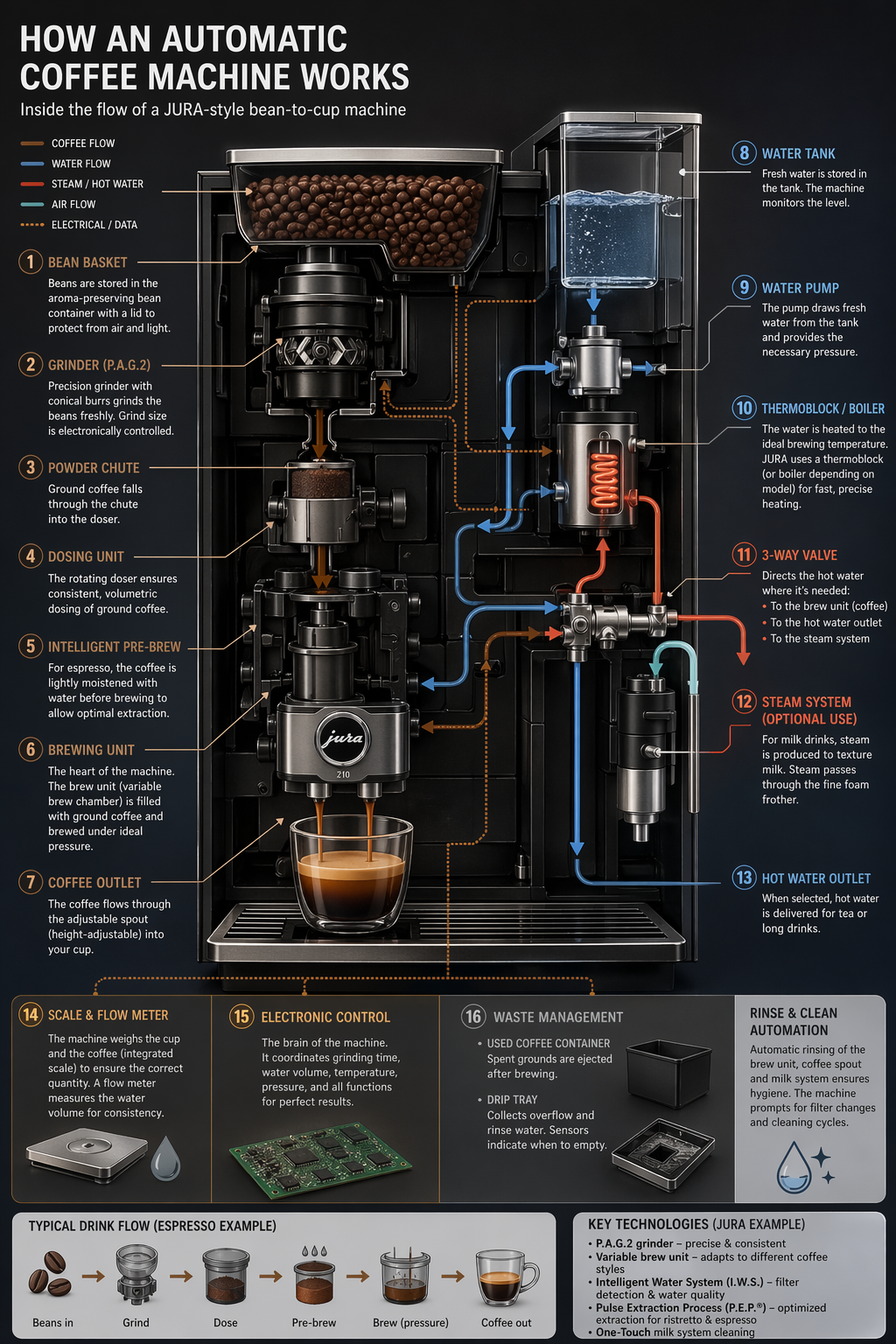 ## 4.2 图片翻译 用于将现有设计(广告、用户界面截图、包装、信息图表)本地化为另一种语言,而无需从头开始重建布局。关键在于保留除文本以外的所有内容——保持字体样式、位置、间距和层级的一致性——同时逐字逐句地准确翻译,不添加任何多余的词语,除非必要,否则不进行重排,并且不会对徽标、图标或图像进行任何意外的修改。 ``` python prompt = """ Translate the text in the infographic to Spanish. Do not change any other aspect of the image. """ result = client.images.edit( model="gpt-image-2", image=[ open("../../images/output_images/infographic_coffee_machine_gpt-image-2.png", "rb"), ], prompt=prompt, size="1024x1536", quality="medium", ) save_image(result, "infographic_coffee_machine_sp_gpt-image-2.png") ``` 输出图像: 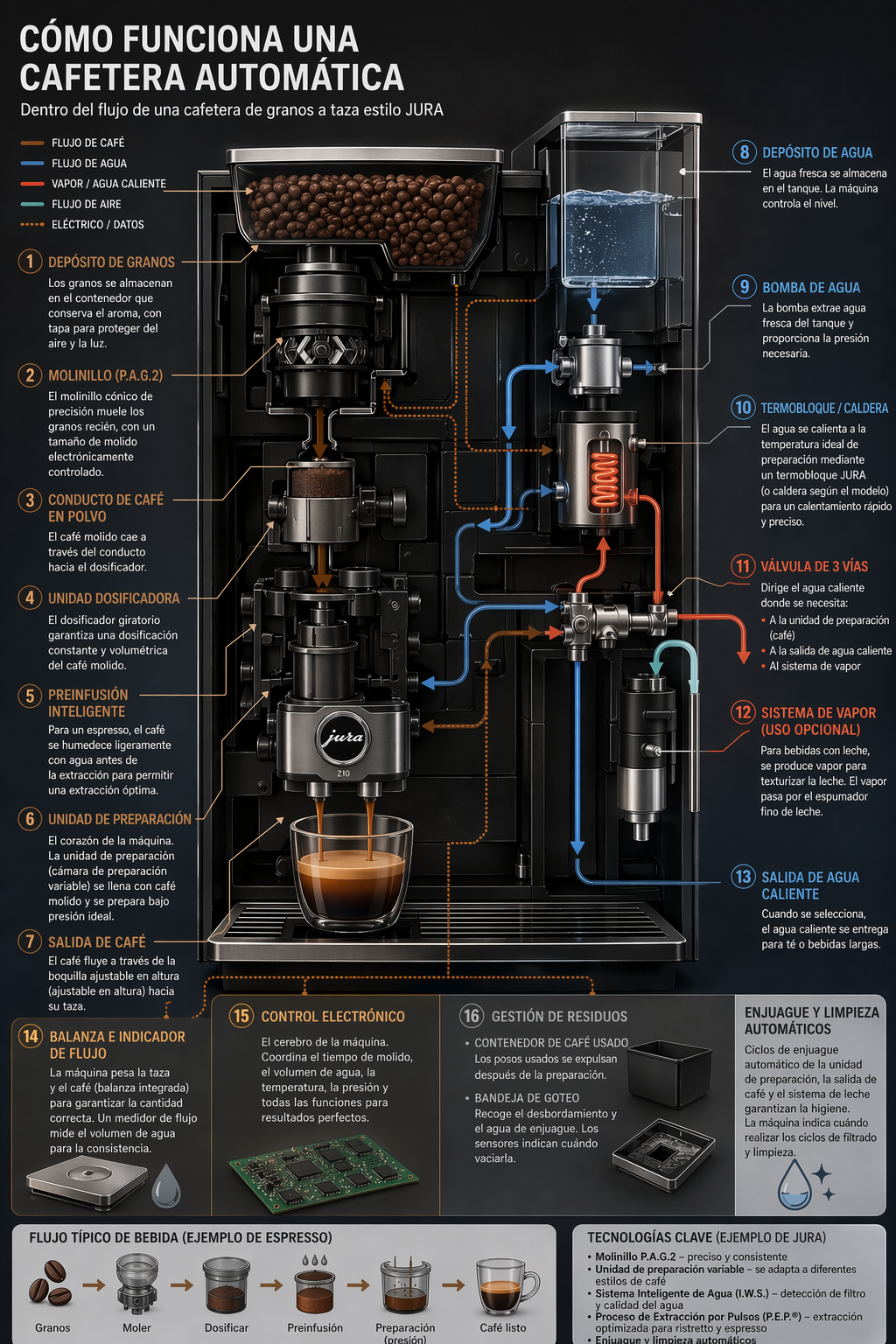 ## 4.3 感觉“自然”的逼真图像 为了获得逼真的照片效果,要像拍摄真实照片一样引导模特。使用摄影术语(镜头、光线、构图),并明确要求展现真实的纹理(毛孔、皱纹、衣物磨损、瑕疵)。避免使用暗示影棚修图或摆拍的词语。如果细节至关重要,请将质量要求设为“高”。 ``` python prompt = """ Create a photorealistic candid photograph of an elderly sailor standing on a small fishing boat. He has weathered skin with visible wrinkles, pores, and sun texture, and a few faded traditional sailor tattoos on his arms. He is calmly adjusting a net while his dog sits nearby on the deck. Shot like a 35mm film photograph, medium close-up at eye level, using a 50mm lens. Soft coastal daylight, shallow depth of field, subtle film grain, natural color balance. The image should feel honest and unposed, with real skin texture, worn materials, and everyday detail. No glamorization, no heavy retouching. """ result = client.images.generate( model="gpt-image-2", prompt=prompt, size="1024x1536", quality="medium", ) save_image(result, "photorealism-gpt-image-2.png") ``` 输出图像: 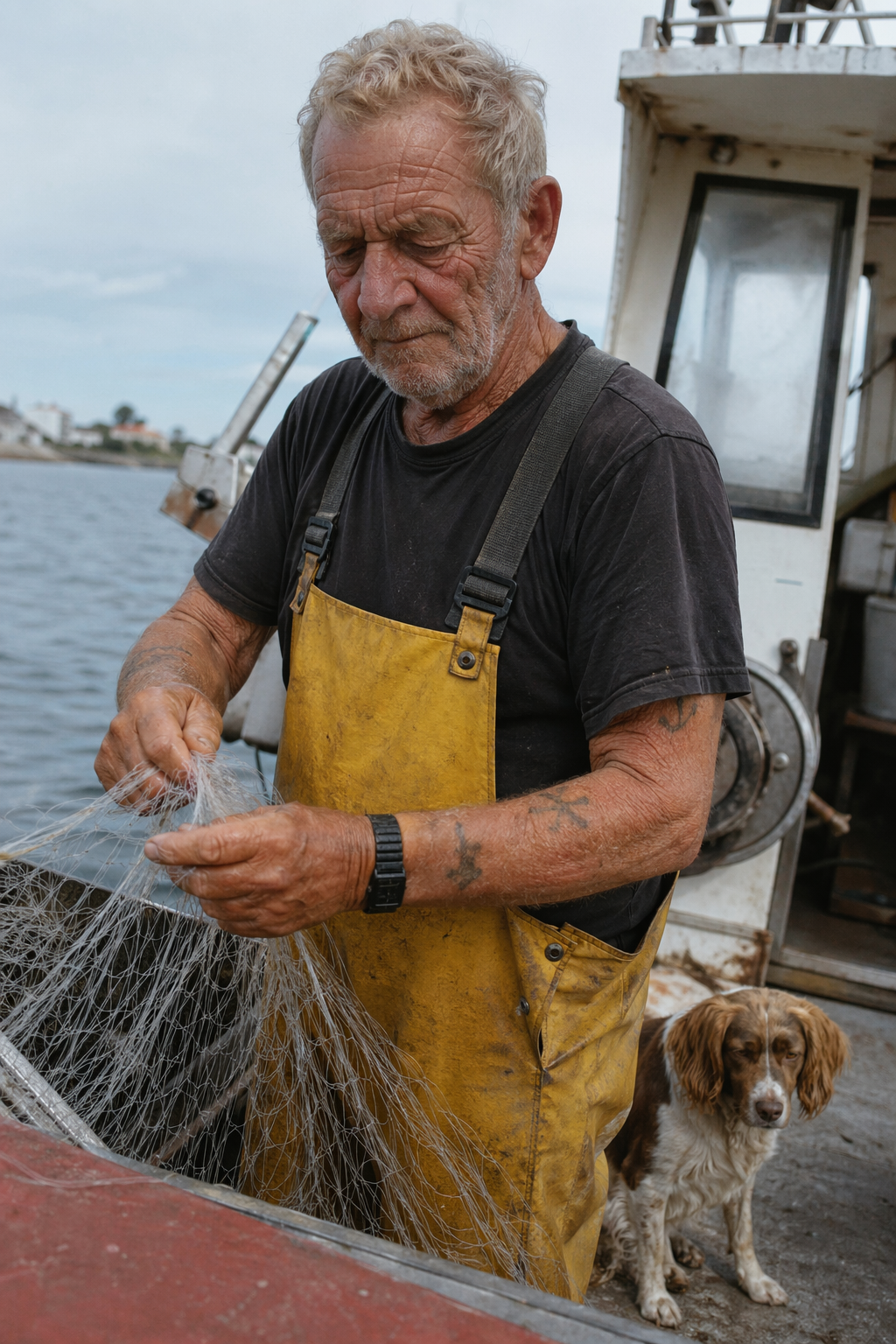 ## 4.4 世界知识 GPT图像生成模型能够将强大的推理能力与世界知识相结合。例如,当被要求生成一幅1969年8月发生在纽约州贝瑟尔的场景时,它们可以推断出伍德斯托克音乐节,并在没有明确告知该事件的情况下,生成一幅准确且符合语境的图像。 ``` python prompt = """ Create a realistic outdoor crowd scene in Bethel, New York on August 16, 1969. Photorealistic, period-accurate clothing, staging, and environment. """ result = client.images.generate( model="gpt-image-2", prompt=prompt, size="1024x1536", quality="medium", ) save_image(result, "world_knowledge-gpt-image-2.png") ``` 输出图像: 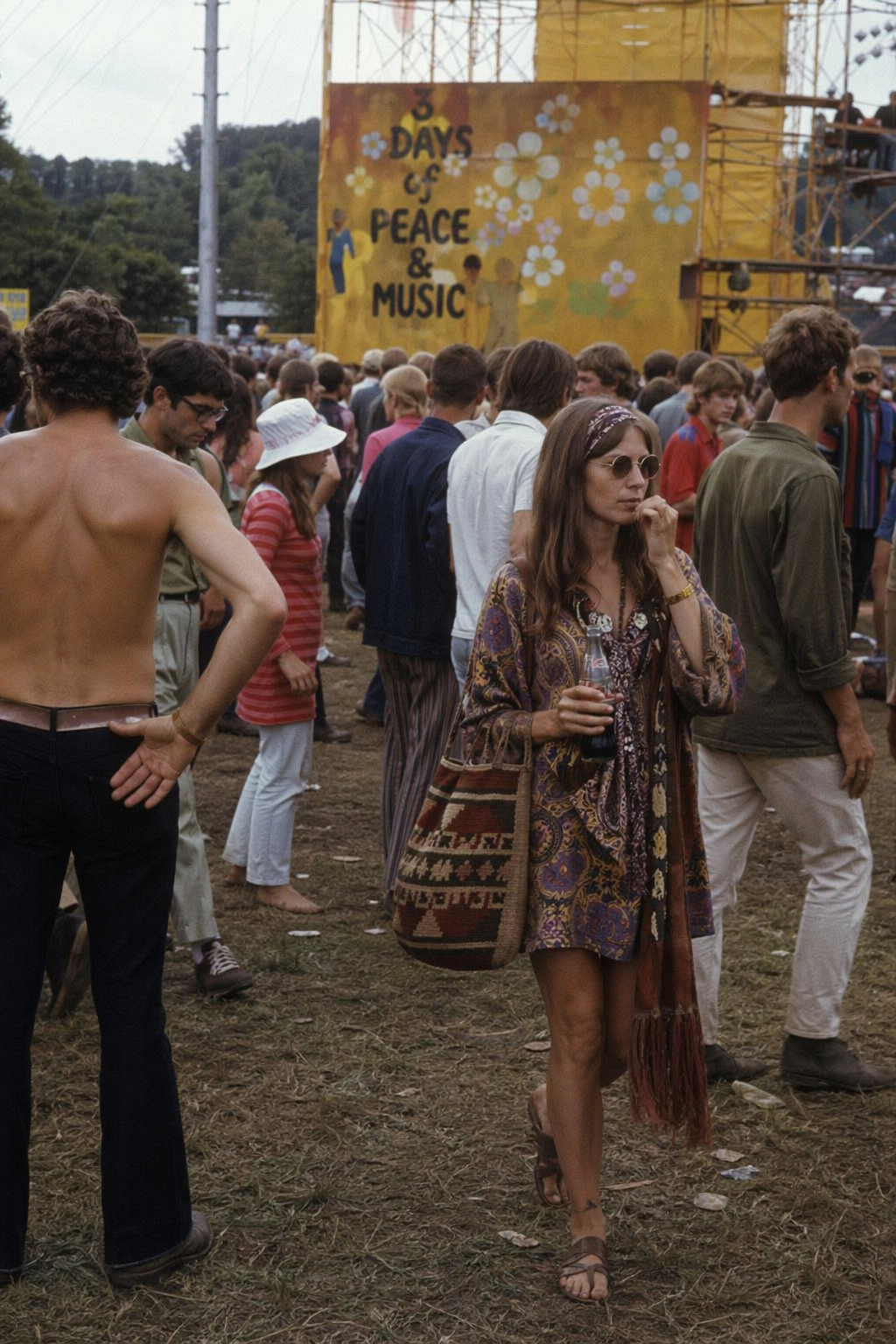 ## 4.5 标志生成 优秀的标志设计源于清晰的品牌定位和简洁的设计理念。首先描述品牌的个性和应用场景,然后要求设计一个简洁、原创、形状鲜明、留白平衡且能适应不同尺寸的标志。 您可以指定参数“n”来表示您想要生成的变体数量。 ``` python prompt = """ Create an original, non-infringing logo for a company called Field & Flour, a local bakery. The logo should feel warm, simple, and timeless. Use clean, vector-like shapes, a strong silhouette, and balanced negative space. Favor simplicity over detail so it reads clearly at small and large sizes. Flat design, minimal strokes, no gradients unless essential. Plain background. Deliver a single centered logo with generous padding. No watermark. """ result = client.images.generate( model="gpt-image-2", prompt=prompt, size="1024x1536", quality="medium", n=4 # Generate 4 versions of the logo ) # Save all 4 images to separate files for i, item in enumerate(result.data, start=1): image_base64 = item.b64_json image_bytes = base64.b64decode(image_base64) with open(f"../../images/output_images/logo_generation_{i}_gpt-image-2.png", "wb") as f: f.write(image_bytes) ``` 输出图像: 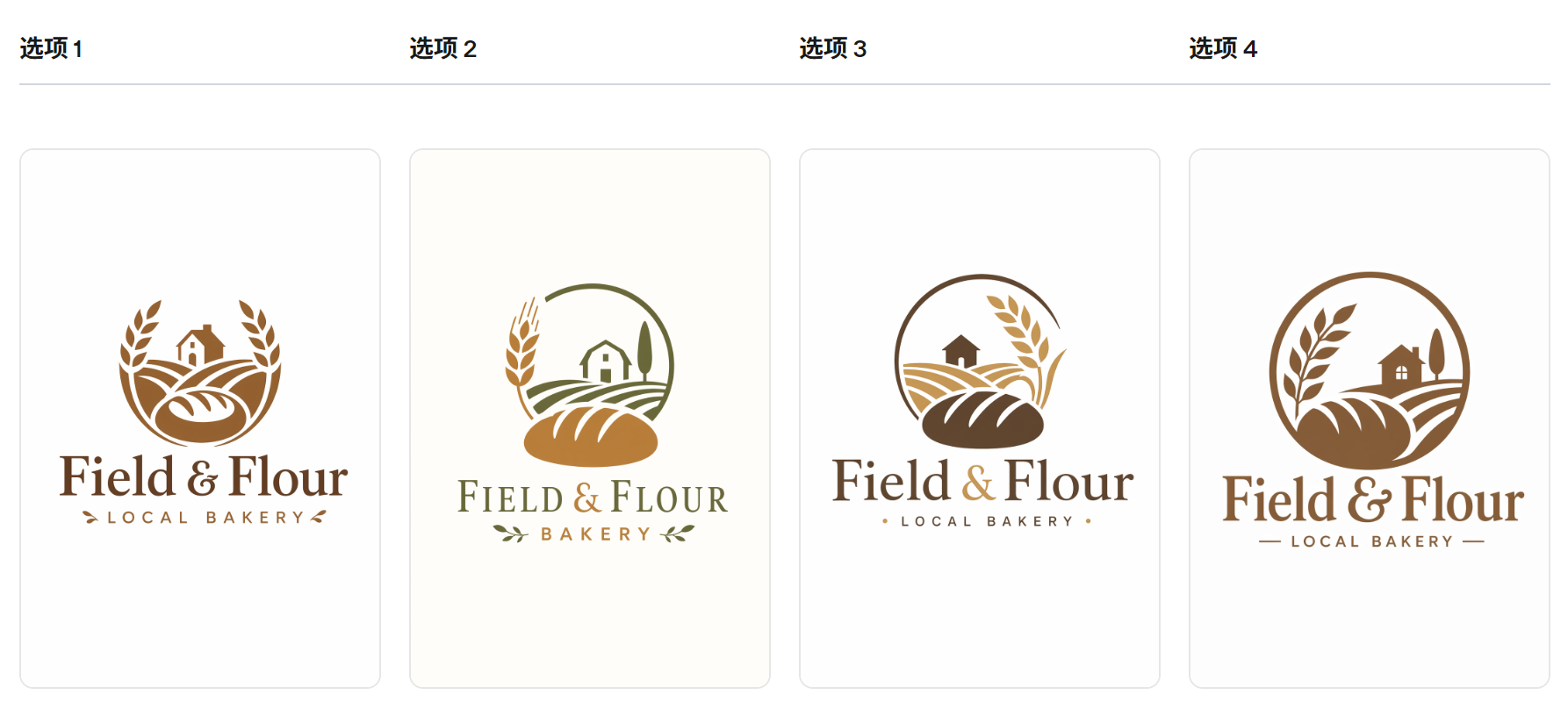 ## 4.6 广告生成 广告生成的最佳方式是将提示信息写成创意简报的形式,而不是纯粹的技术性图像规范。描述品牌、受众、文化、概念、构图和确切的文案,然后让模型在这些框架内做出符合审美趣味的创意决策。这对于早期广告活动探索非常有用,因为模型可以解读受众线索、推断艺术方向,并提出视觉细节,使广告显得经过深思熟虑,而不仅仅是渲染而成。 为了获得更佳效果,请在同一份需求中包含品牌定位、预期氛围、目标受众、场景和标语。如果文字必须出现在图片中,请准确引用,并要求使用清晰易读的字体。 ``` python prompt = """ Give me a cool in culture ad / fashion shot for a brand called Thread. It's a hip young street brand. The ad shows a group of friends hanging out together with the tagline "Yours to Create." Make it feel like a polished campaign image for a youth streetwear audience: stylish, contemporary, energetic, and tasteful. Use clean composition, strong color direction, natural poses, and premium fashion photography cues. Render the tagline exactly once, clearly and legibly, integrated into the ad layout. No extra text, no watermarks, no unrelated logos. """ result = client.images.generate( model="gpt-image-2", prompt=prompt, size="1024x1536", quality="medium", ) save_image(result, "thread_ad_gpt-image-2.png") ``` 输出图像: 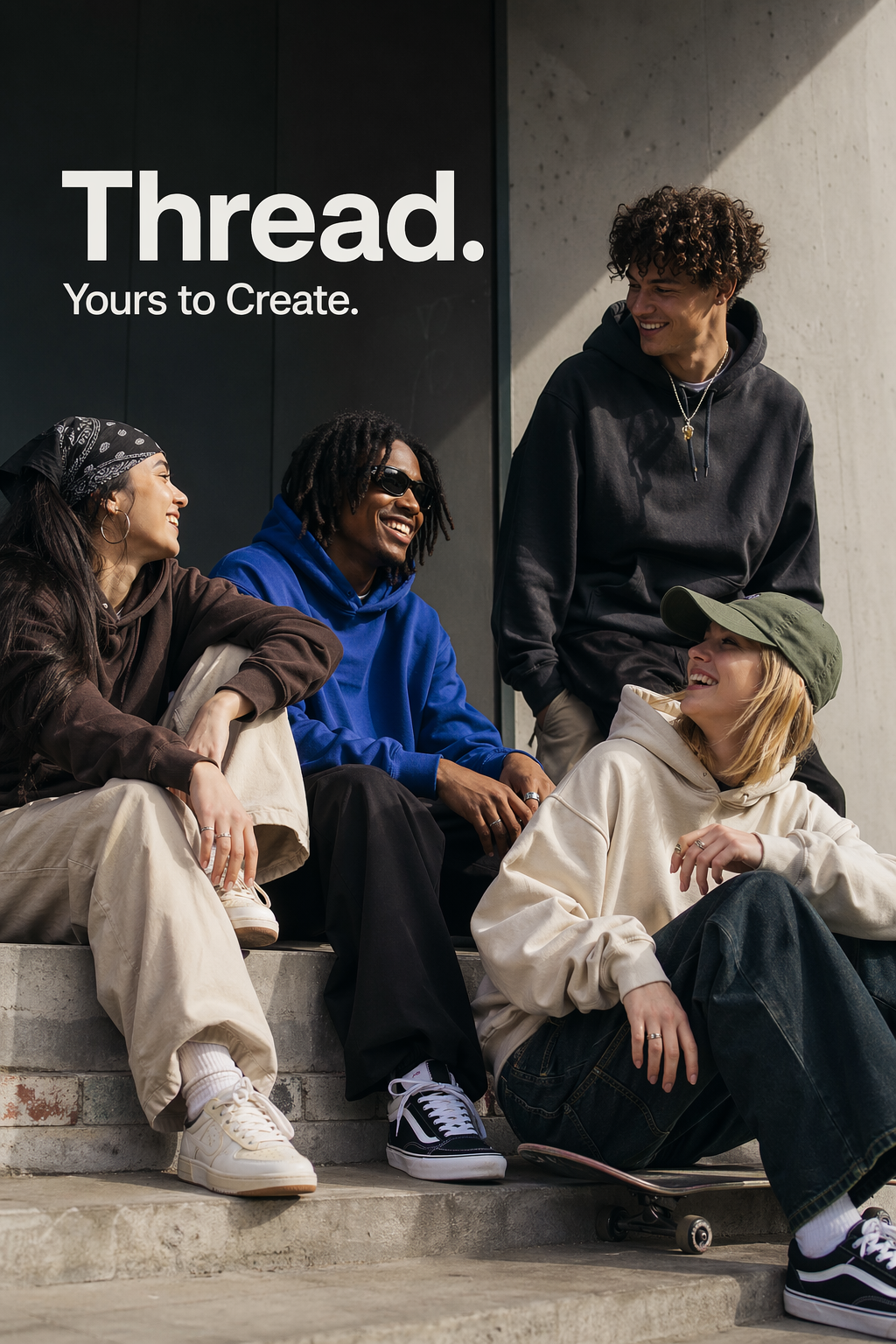 ## 4.7 故事到漫画 在将故事转换为漫画时,将叙事定义为一系列清晰的视觉节拍,每个节拍对应一个分镜。描述要具体且以动作为中心,以便模型能够将故事转化为易于阅读、节奏流畅的分镜。 ``` python prompt = """ Create a short vertical comic-style reel with 4 equal-sized panels. Panel 1: The owner leaves through the front door. The pet is framed in the window behind them, small against the glass, eyes wide, paws pressed high, the house suddenly quiet. Panel 2: The door clicks shut. Silence breaks. The pet slowly turns toward the empty house, posture shifting, eyes sharp with possibility. Panel 3: The house transformed. The pet sprawls across the couch like it owns the place, crumbs nearby, sunlight cutting across the room like a spotlight. Panel 4: The door opens. The pet is seated perfectly by the entrance, alert and composed, as if nothing happened. """ result = client.images.generate( model="gpt-image-2", prompt=prompt, size="1024x1536", quality="medium", ) save_image(result, "comic_reel-gpt-image-2.png") ``` 输出图像: 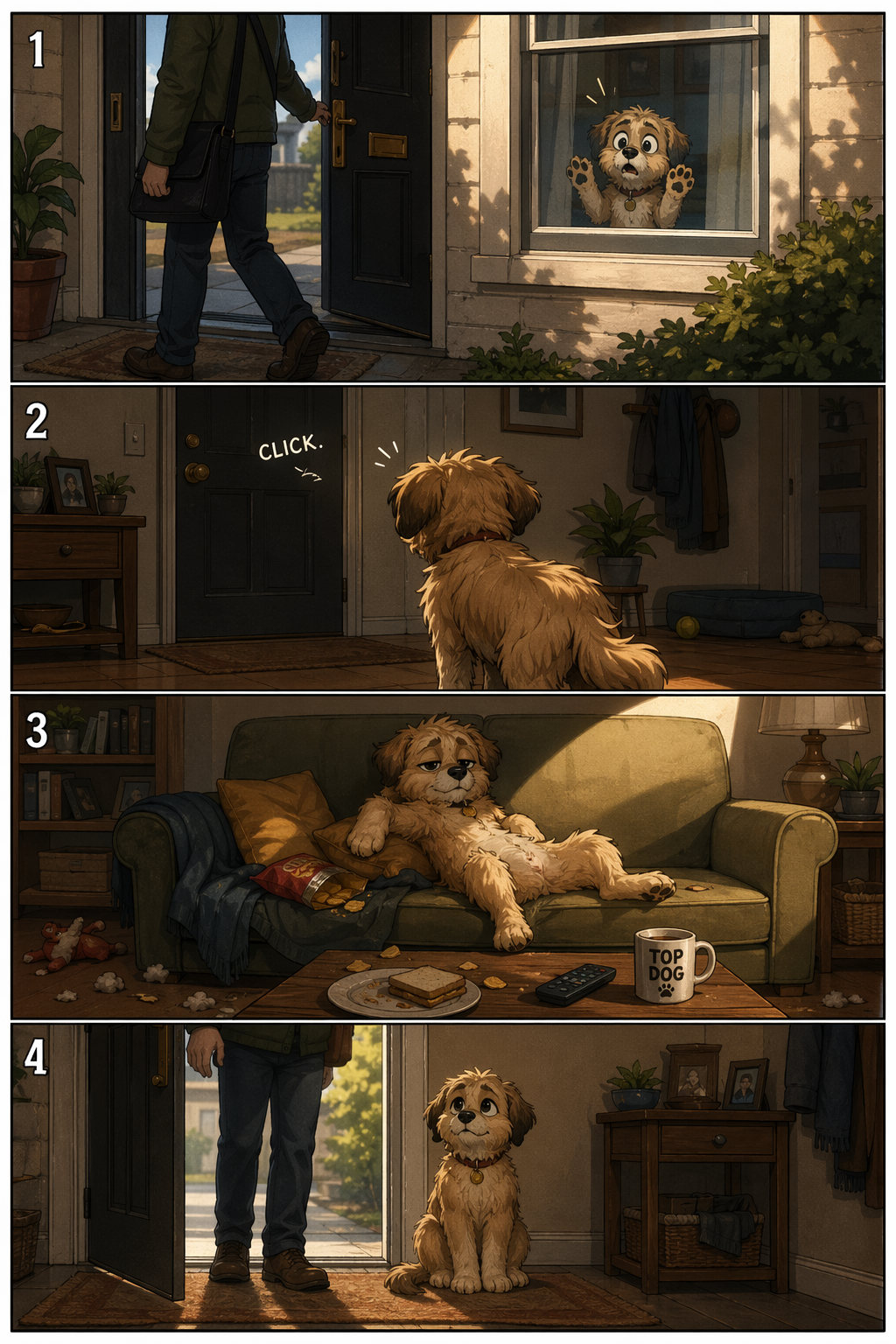 ## 4.8 用户界面模型 UI原型图的最佳效果在于,将产品描述得如同它已经存在一样。重点关注布局、层级、间距和实际的界面元素,避免使用概念艺术的语言,这样最终呈现的效果才会像一个可用的、已发布的界面,而不是设计草图。 ``` python prompt = """ Create a realistic mobile app UI mockup for a local farmers market. Show today’s market with a simple header, a short list of vendors with small photos and categories, a small “Today’s specials” section, and basic information for location and hours. Design it to be practical, and easy to use. White background, subtle natural accent colors, clear typography, and minimal decoration. It should look like a real, well-designed, beautiful app for a small local market. Place the UI mockup in an iPhone frame. """ result = client.images.generate( model="gpt-image-2", prompt=prompt, size="1024x1536", quality="medium", ) save_image(result, "ui_farmers_market_gpt-image-2.png") ``` 输出图像: 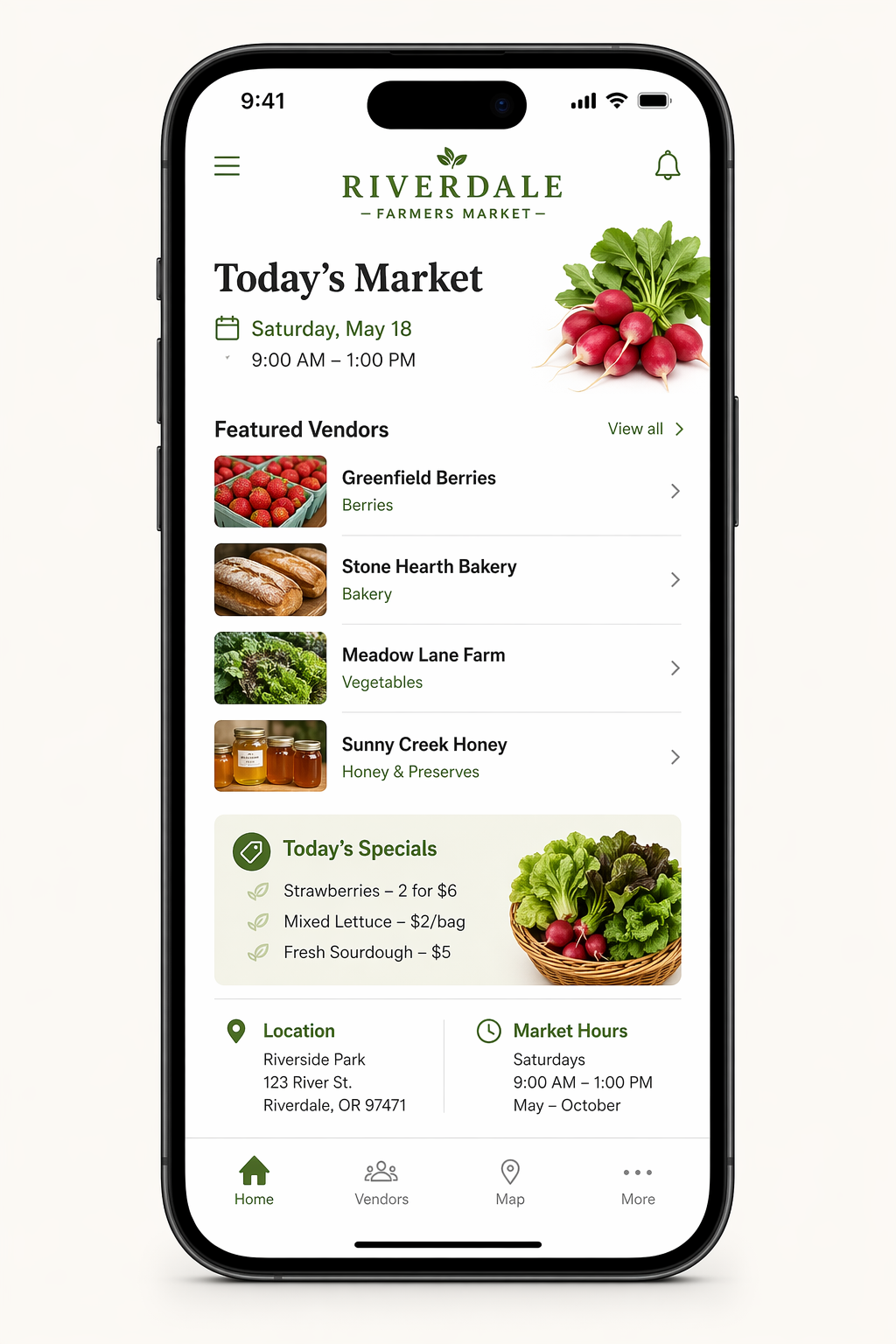 ## 4.9 科学/教育视觉材料 科学和教育视觉元素非常适合用于生物学、化学、课堂讲解、扁平化科学图标系统、图表和学习资源。您可以像撰写教学设计简报一样指导他们:明确受众、课程目标、视觉格式、所需标签和科学限制。为了达到最佳效果,请要求他们使用简洁、扁平化的视觉系统,并采用一致的图标风格、清晰的箭头、易读的标签以及足够的留白,以便学生快速理解概念。 当准确性至关重要时,请明确列出必需的组成部分,并说明哪些内容不应包含。适用`quality="high"`于标签密集、图表密集或将在幻灯片或课程材料中使用的素材。 ``` python prompt = """ Create a simple biology diagram titled "Cellular Respiration at a Glance" for high school students. Show how glucose turns into energy inside a cell. Include glycolysis, the Krebs cycle, and the electron transport chain. Use arrows to connect the steps, and label the main molecules: glucose, pyruvate, ATP, NADH, FADH2, CO2, O2, and H2O. Make it look like a clean classroom handout or slide, with a white background, simple icons, clear labels, and easy-to-read text. Avoid tiny text, extra decoration, or anything that makes the diagram hard to understand. """ result = client.images.generate( model="gpt-image-2", prompt=prompt, size="1536x1024", quality="high", ) save_image(result, "scientific_educational_cellular_respiration_gpt-image-2.png") ``` 输出图像: 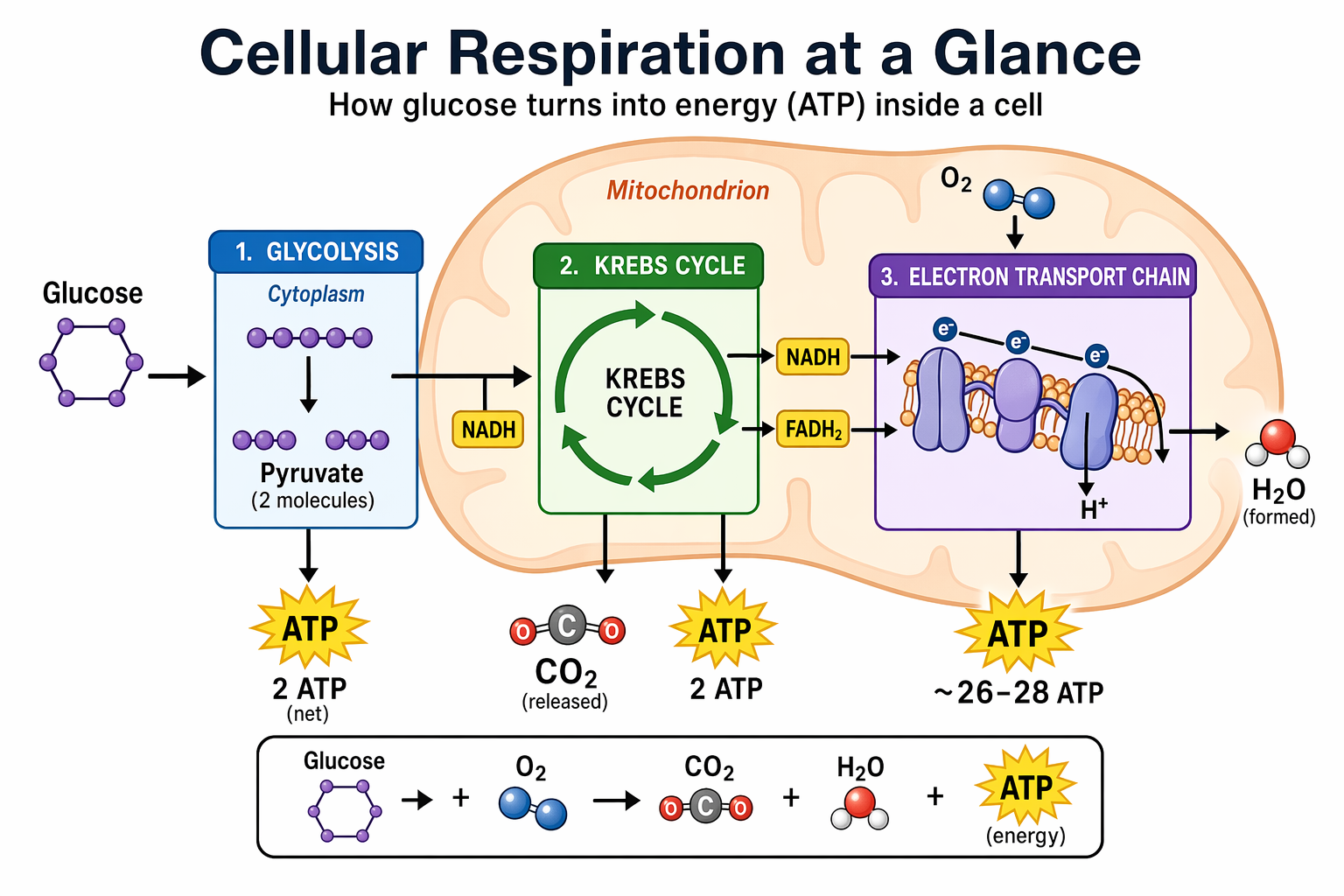 ## 4.10 幻灯片、图表、图形和生产力图像 提高工作效率的视觉效果,最佳做法是将提示信息写得像产品规格说明,而不是插图请求。明确指定最终交付物(幻灯片、工作流程图、图表、页面图片),定义画布和层级结构,提供实际文本或数据,并描述视觉语言。这些提示信息应包含一些实际限制:易读的字体、合理的间距、避免装饰性元素,以及不使用通用图库照片。 对于幻灯片、图表和包含大量示意图的素材,请直接在提示中包含数字和标签。对于演示文稿格式的输出,以及`quality="high"`图像包含小型文本、图例、坐标轴或脚注的情况,请使用横向尺寸。 ``` python prompt = """ Create one pitch-deck slide titled **"Market Opportunity"** that feels like a real Series A fundraising slide from a YC-backed startup. Use a clean white background, modern sans-serif typography like Inter, and a crisp, minimal layout. The slide should include: * A TAM/SAM/SOM concentric-circle diagram in muted blues and grays * Specific, believable market sizing numbers: * **TAM:** $42B * **SAM:** $8.7B * **SOM:** $340M * A clean bar chart below showing market growth from **2021 to 2026**, with a subtle upward trend * Small footnotes: **"AGI Research, 2024"** and **"Internal analysis"** * A company logo placeholder in the bottom-right corner The design should look like it belongs in a deck that actually raised money: highly readable text, clear data hierarchy, polished spacing, and professional startup-style visual language. Avoid clip art, stock photography, gradients, shadows, decorative elements, or anything that feels generic or overdesigned. """ result = client.images.generate( model="gpt-image-2", prompt=prompt, size="1536x864", quality="high", ) save_image(result, "market_opportunity_slide_gpt-image-2.png") ``` 输出图像: 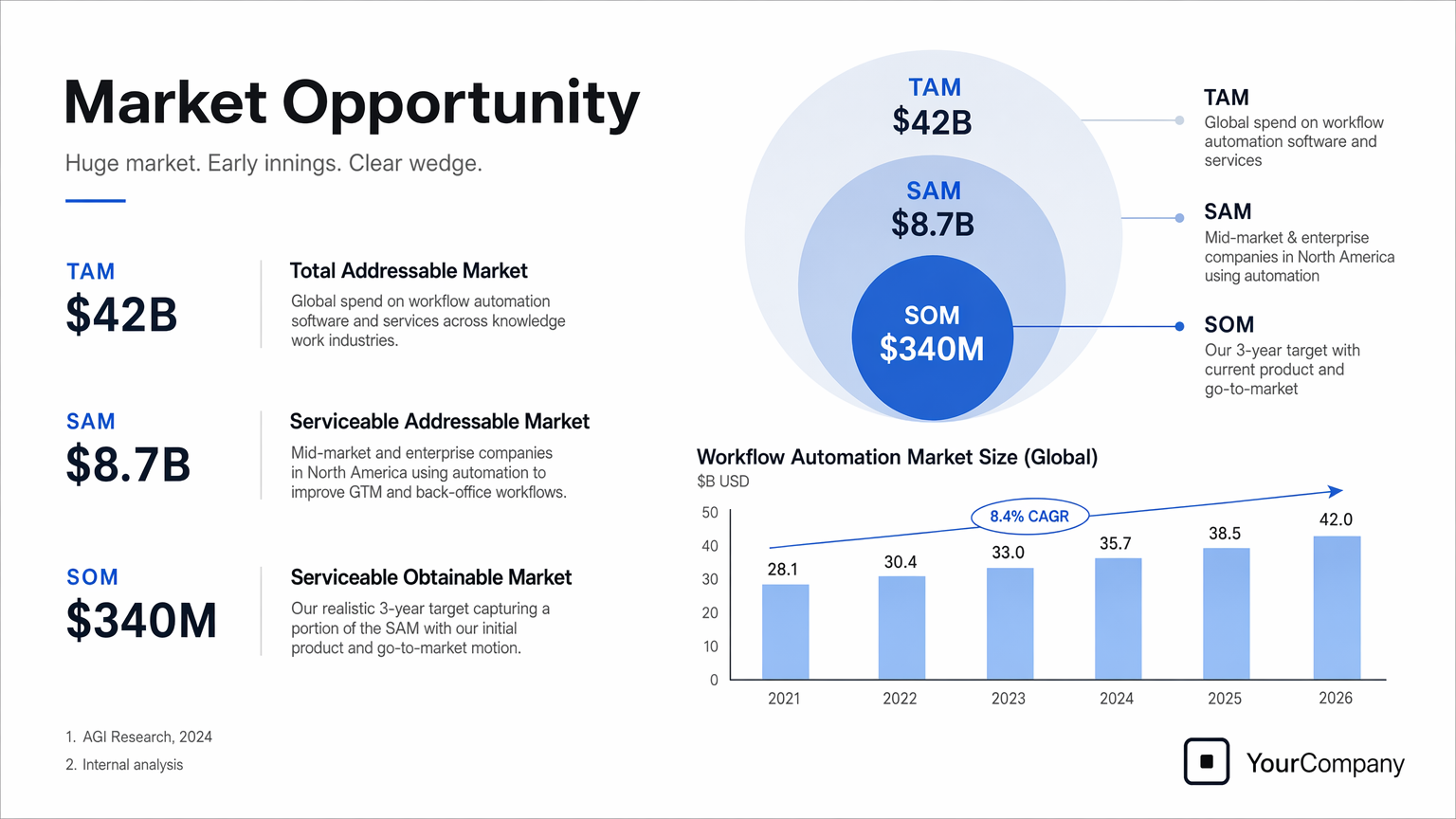 ## 5. 使用案例 — 编辑(文本 + 图片 → 图片) ## 5.1 风格迁移 当您希望在改变主题或场景的同时保留参考图像的*视觉语言*(例如色调、纹理、笔触、胶片颗粒等)时,风格迁移非常有用。为了获得最佳效果,请明确哪些元素必须保持不变(风格提示),哪些元素必须改变(新增内容),并添加一些硬性限制,例如背景、构图以及“禁止添加额外元素”,以防止风格偏移。 ``` python prompt = """ Use the same style from the input image and generate a man riding a motorcycle on a white background. """ result = client.images.edit( model="gpt-image-2", image=[ open("../../images/input_images/pixels.png", "rb"), ], prompt=prompt, size="1024x1536", quality="medium", ) save_image(result, "motorcycle_gpt-image-2.png") ``` 输入图像: 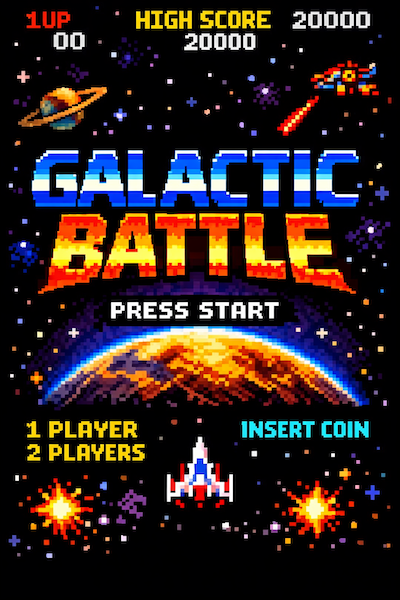 输出图像: 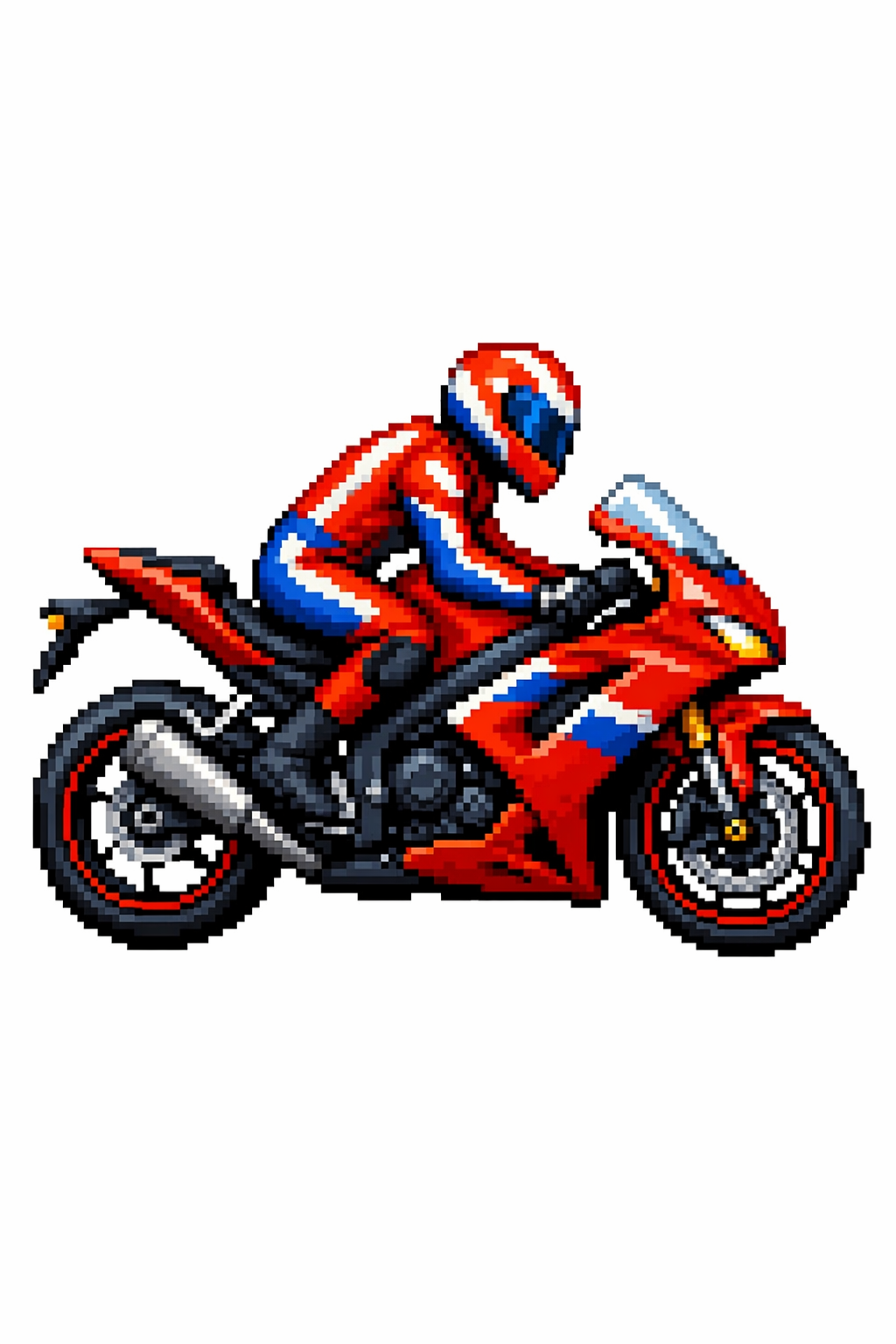 ## 5.2 虚拟服装试穿 虚拟试穿非常适合电商预览,因为在电商预览中,身份保护至关重要。关键在于明确锁定人物(面部、体型、姿势、发型、表情),*仅*允许更改服装,然后要求服装贴合真实(垂坠感、褶皱、遮挡),并保持光照/阴影的一致性,使服装看起来自然穿着,而非贴上去的。 ``` python prompt = """ Edit the image to dress the woman using the provided clothing images. Do not change her face, facial features, skin tone, body shape, pose, or identity in any way. Preserve her exact likeness, expression, hairstyle, and proportions. Replace only the clothing, fitting the garments naturally to her existing pose and body geometry with realistic fabric behavior. Match lighting, shadows, and color temperature to the original photo so the outfit integrates photorealistically, without looking pasted on. Do not change the background, camera angle, framing, or image quality, and do not add accessories, text, logos, or watermarks. """ result = client.images.edit( model="gpt-image-2", image=[ open("../../images/input_images/woman_in_museum.png", "rb"), open("../../images/input_images/tank_top.png", "rb"), open("../../images/input_images/jacket.png", "rb"), open("../../images/input_images/tank_top.png", "rb"), open("../../images/input_images/boots.png", "rb"), ], prompt=prompt, size="1024x1536", quality="medium", ) save_image(result, "outfit_gpt-image-2.png") ``` 输入图像: | 全身 | 项目 1 | |----|----| | 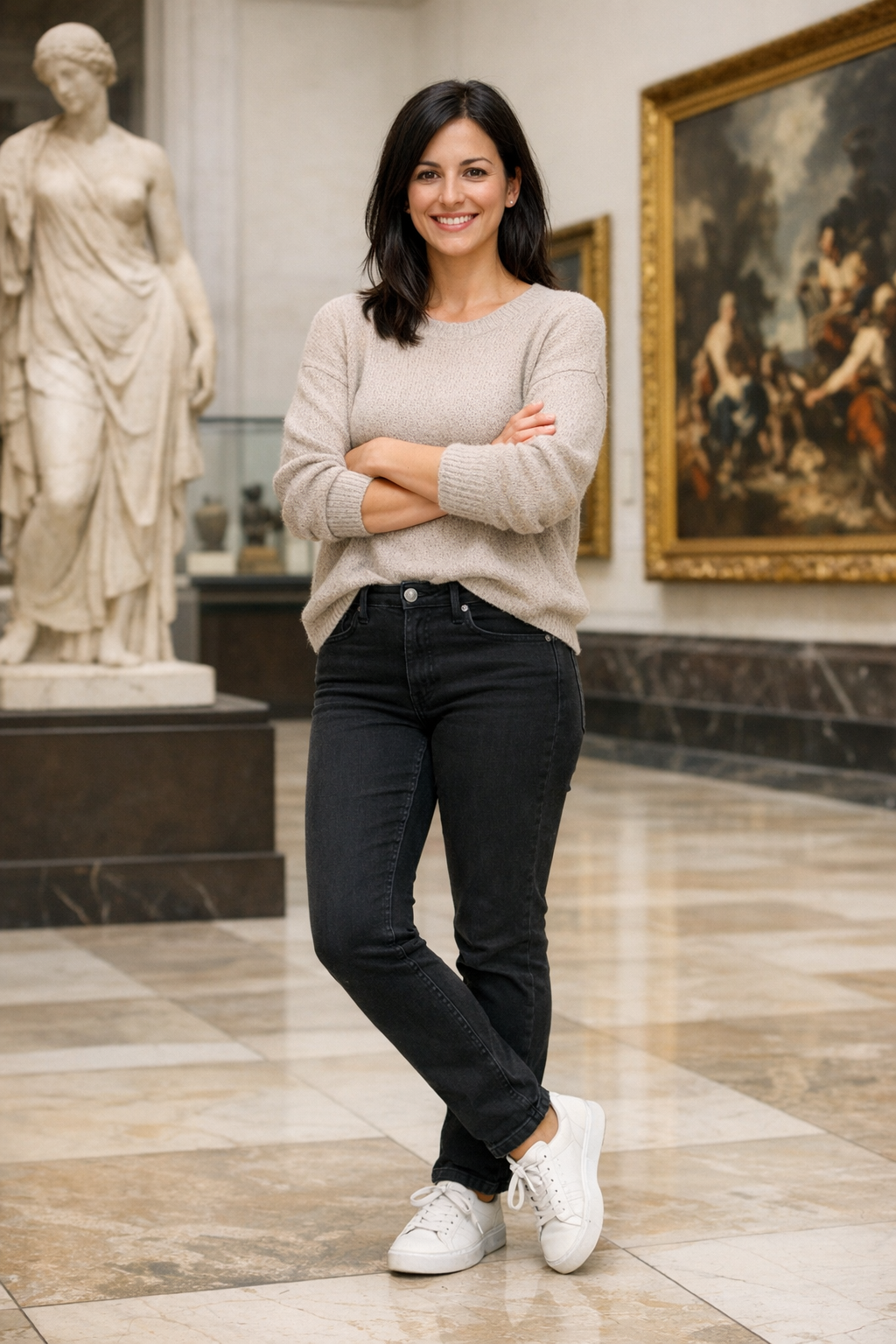 | 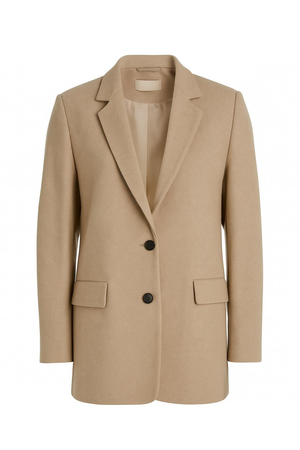 | 项目 2 | 第3项 | | 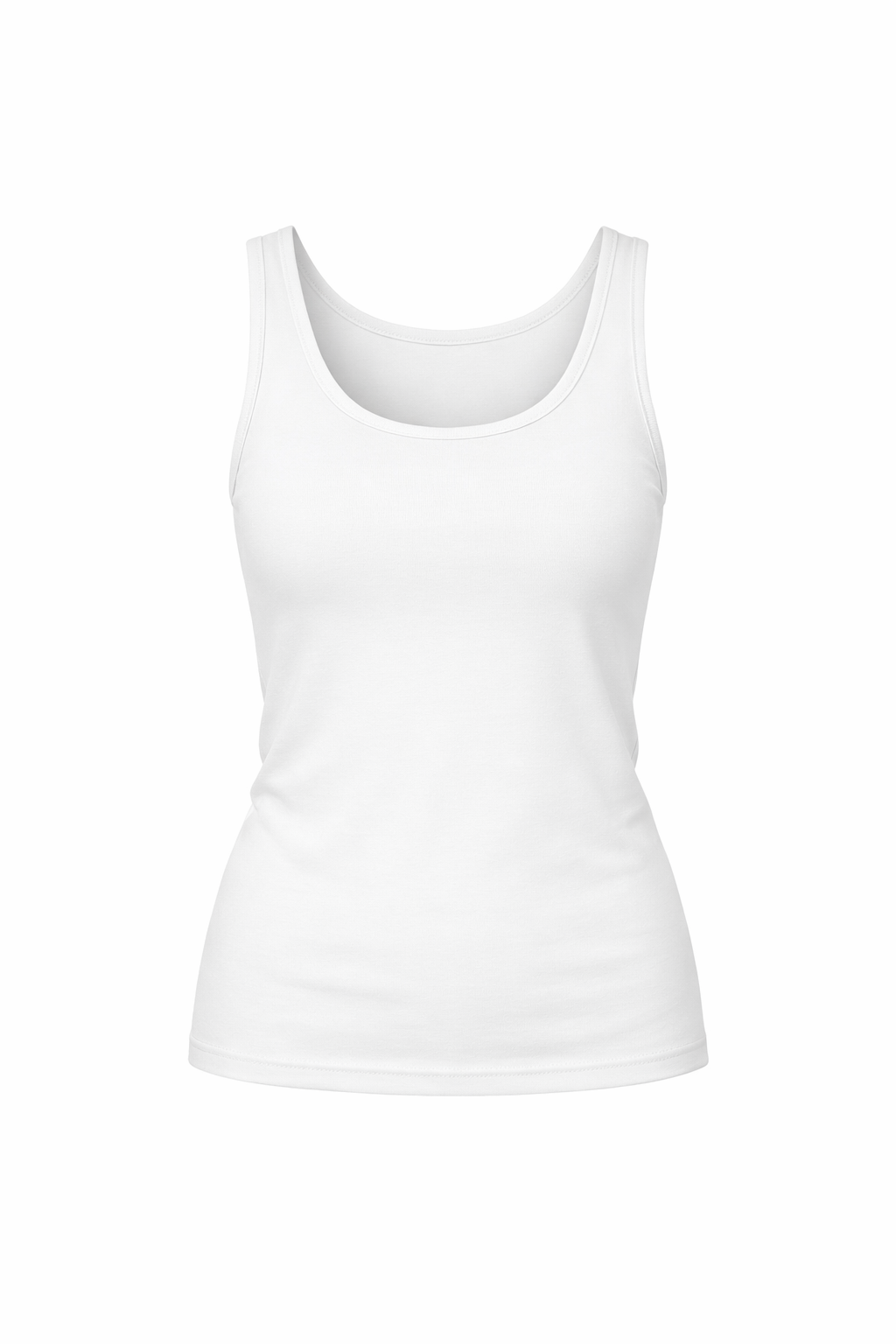| 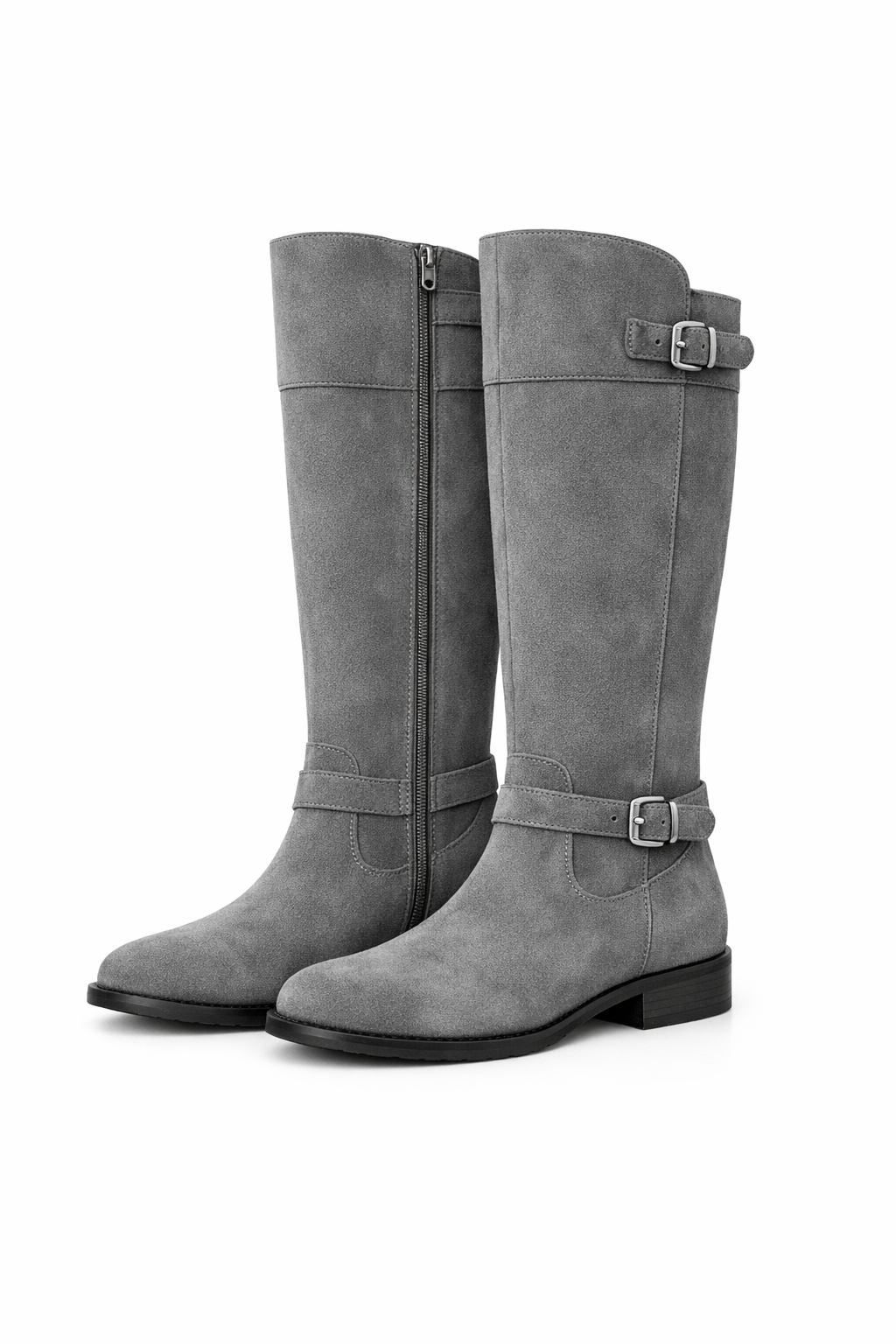 | 输出图像: 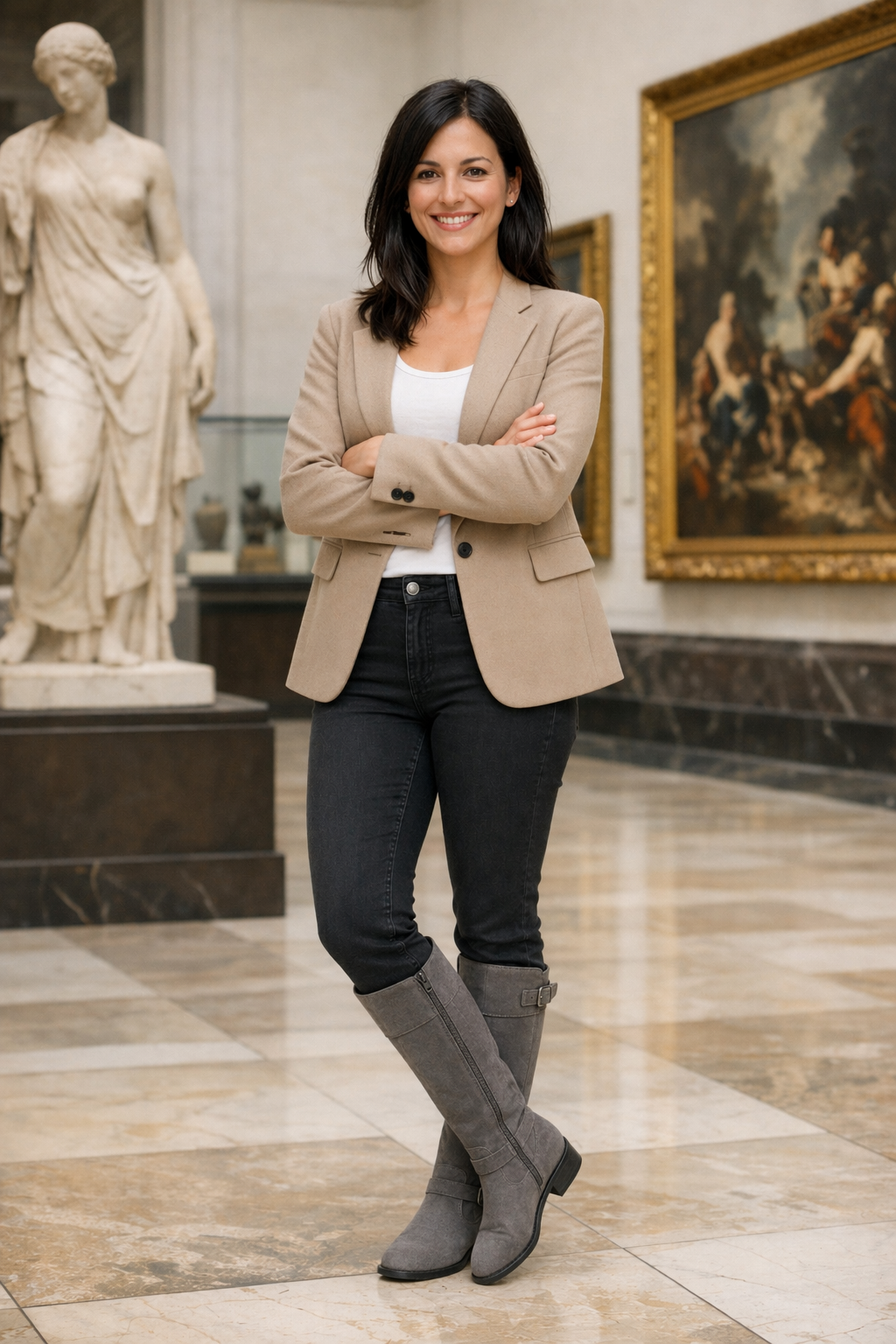 ## 5.3 绘图 → 图像(渲染) 从草图到渲染的工作流程非常适合将粗略的草图转化为逼真的概念图,同时保留最初的设计意图。将设计稿视为规范:保留布局和透视,然后通过指定合理的材质、光照和环境来*增加真实感*。注明“请勿添加新元素/文本”以避免创意上的重新诠释。 ``` python prompt = """ Turn this drawing into a photorealistic image. Preserve the exact layout, proportions, and perspective. Choose realistic materials and lighting consistent with the sketch intent. Do not add new elements or text. """ result = client.images.edit( model="gpt-image-2", image=[ open("../../images/input_images/drawings.png", "rb"), ], prompt=prompt, size="1024x1536", quality="medium", ) save_image(result, "realistic_valley_gpt-image-2.png") ``` 输入图像: 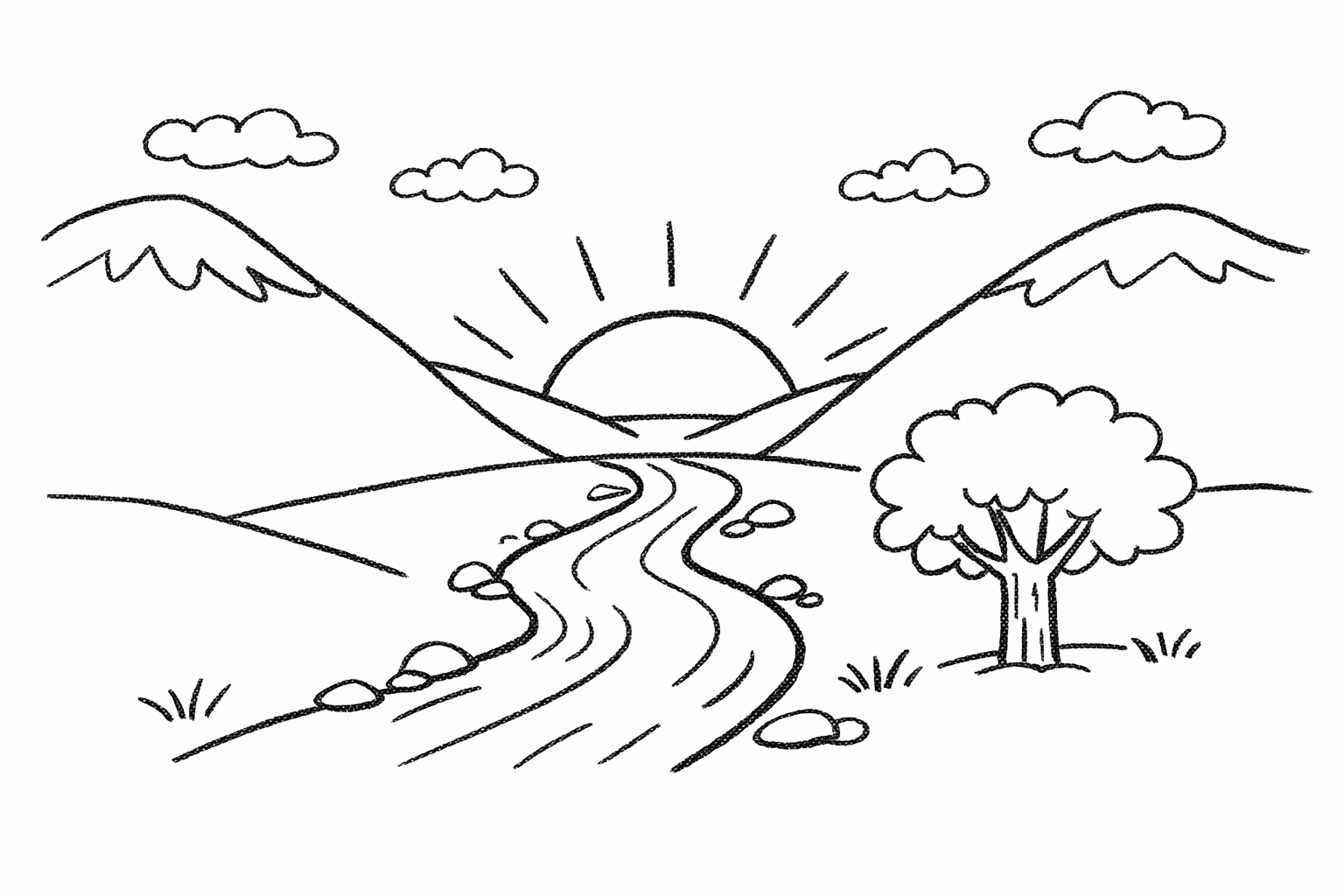 输出图像: 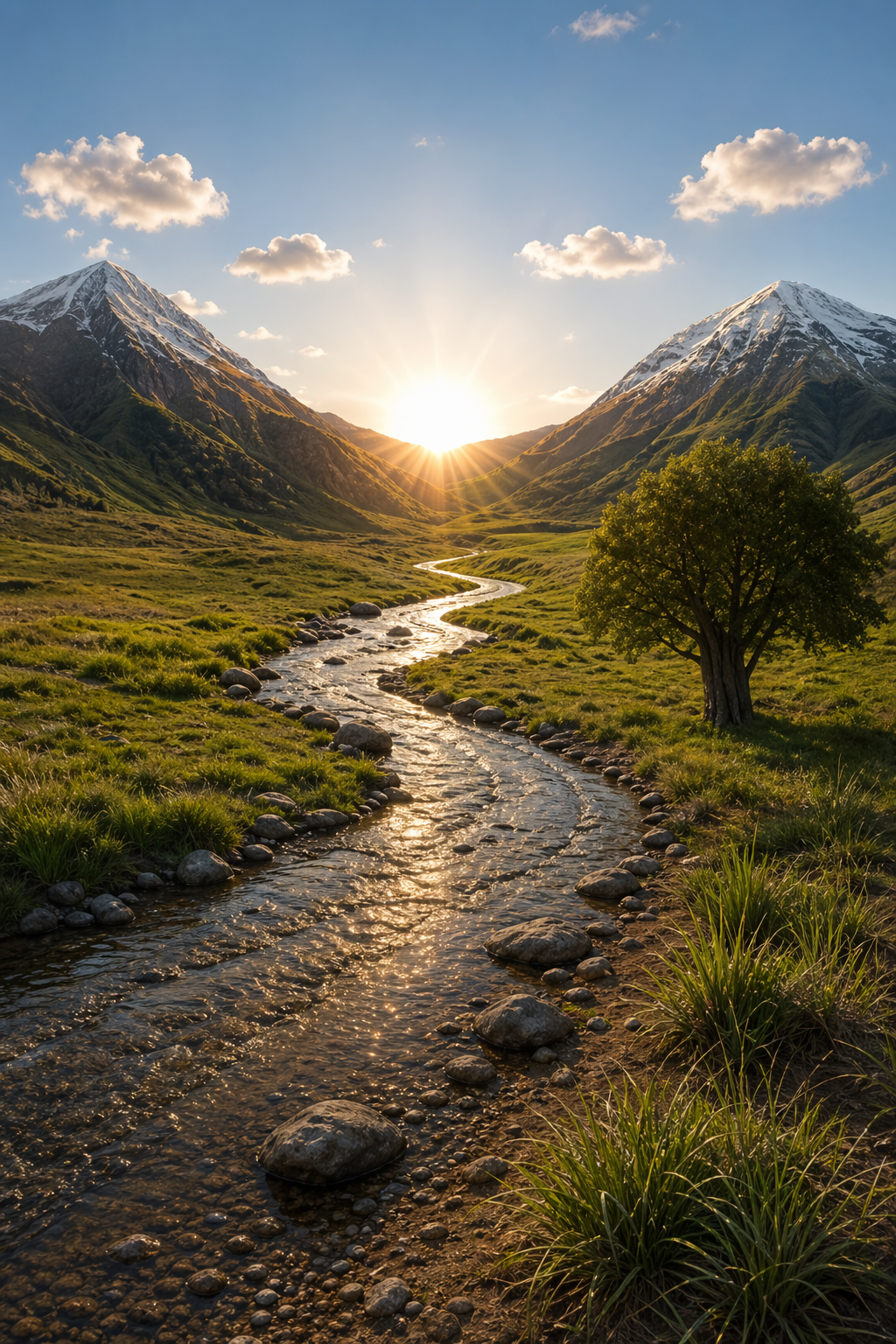 ## 5.4 产品模型(干净的背景 + 标签完整性) 产品提取和模型准备通常用于产品目录、电商平台和设计系统。成功与否取决于边缘质量(轮廓清晰,无边缘/光晕)和标签完整性(文字保持清晰且不变)。对于产品`gpt-image-2`,请保持输出背景不透明,如果需要最终的透明素材,请使用后续的背景移除步骤。如果您想要逼真的效果而无需重新设计,则只需进行轻微的润饰,并可选择在纯色背景上添加微妙的阴影。 ``` python prompt = """ Extract the product from the input image and place it on a plain white opaque background. Output: centered product, crisp silhouette, no halos/fringing. Preserve product geometry and label legibility exactly. Add only light polishing and a subtle realistic contact shadow. Do not restyle the product; only remove background and lightly polish. """ result = client.images.edit( model="gpt-image-2", image=[ open("../../images/input_images/shampoo.png", "rb"), ], prompt=prompt, size="1024x1536", quality="medium", background="opaque", ) save_image(result, "extract_product_gpt-image-2.png") ``` 输入图像: 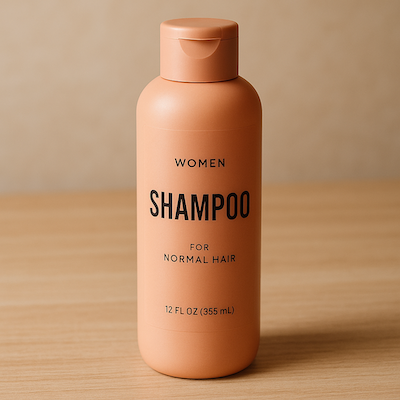 输出图像: 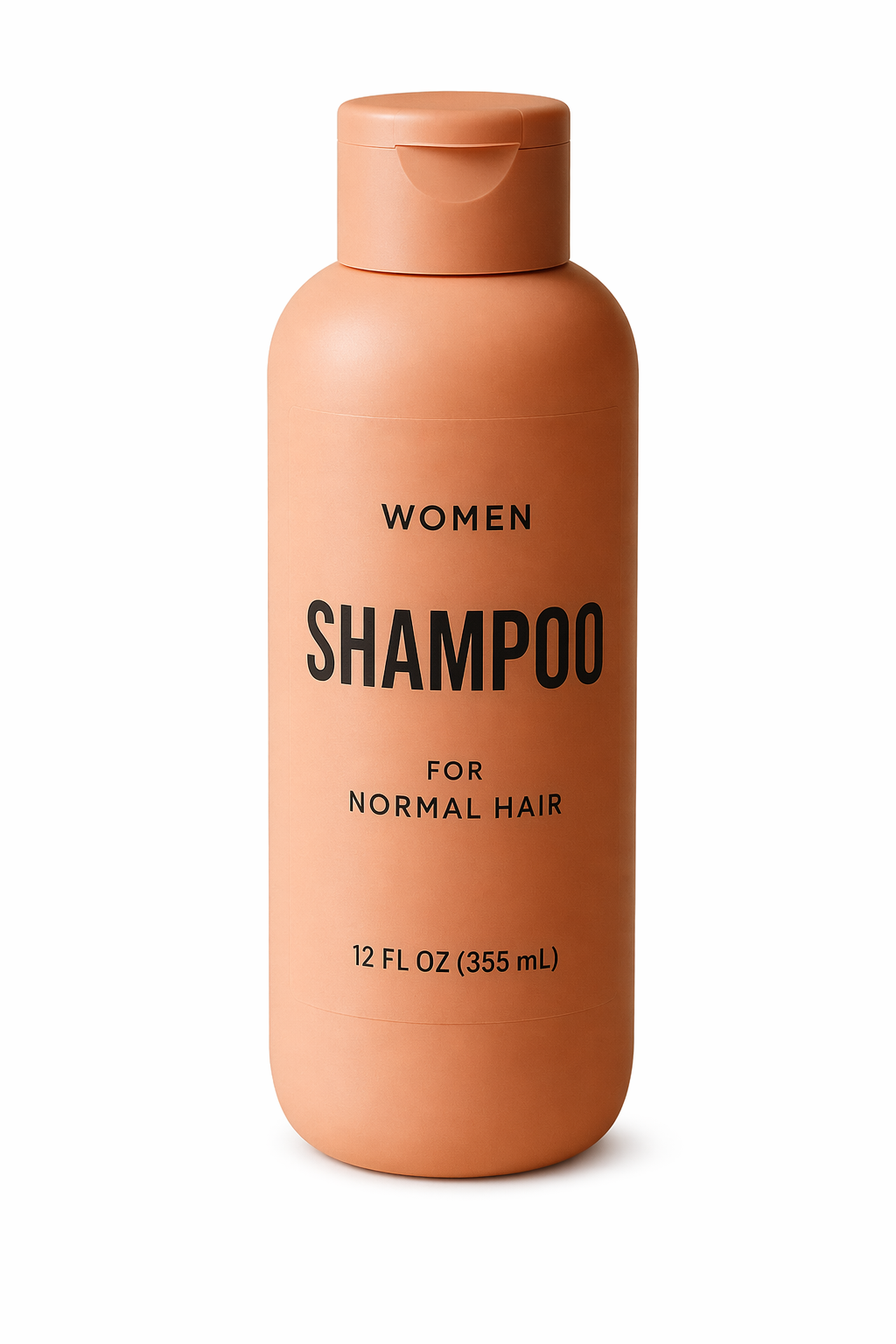 ## 5.5 带有真实文字的图片营销创意 带有真实图像文字的营销创意非常适合快速构思广告,但字体排版需要明确的限制。务必将原文用引号括起来,要求逐字渲染(不添加任何额外字符),并描述排版位置和字体样式。如果文字还原度不够完美,请严格遵守要求并反复修改——通常只需对文字或布局进行一些细微调整即可提高易读性。 ``` python prompt = """ Create a realistic billboard mockup of the shampoo on a highway scene during sunset. Billboard text (EXACT, verbatim, no extra characters): "Fresh and clean" Typography: bold sans-serif, high contrast, centered, clean kerning. Ensure text appears once and is perfectly legible. No watermarks, no logos. """ result = client.images.edit( model="gpt-image-2", image=[ open("../../images/input_images/shampoo.png", "rb"), ], prompt=prompt, size="1024x1536", quality="medium", ) save_image(result, "billboard_gpt-image-2.png") ``` 输入图像: 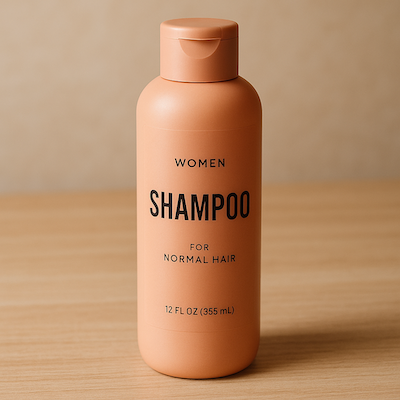 输出图像: 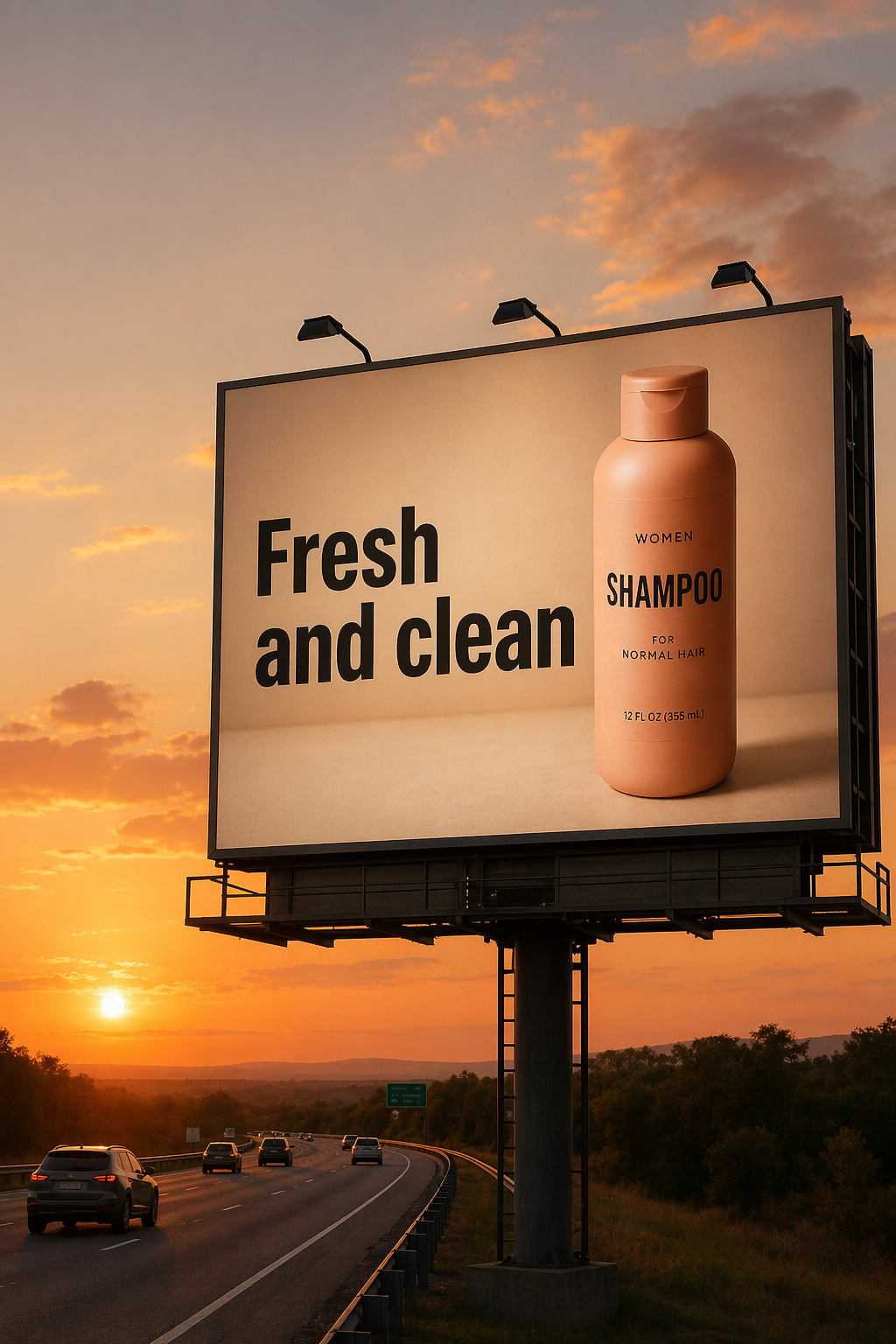 ## 5.6 光照和天气转换 用于在保持场景构图不变的情况下,重新拍摄一张照片,以适应不同的情绪、季节或时间段(例如,晴天→阴天、白天→黄昏、晴朗→下雪)。关键在于仅改变环境条件——光照方向/质量、阴影、大气、降水和地面湿度——同时保持照片的原始特征、几何形状、拍摄角度和物体位置,使其仍然看起来像是同一张照片。 ``` python prompt = """ Make it look like a winter evening with snowfall. """ result = client.images.edit( model="gpt-image-2", input_fidelity="high", image=[ open("../../images/output_images/billboard_gpt-image-2.png", "rb"), ], prompt=prompt, size="1024x1536", quality="medium", ) save_image(result, "billboard_winter_gpt-image-2.png") ``` 输出图像:  ## 5.7 物体移除 人物场景合成功能适用于故事板、宣传活动以及需要保留面部/身份信息的“假设”场景。通过指定逼真的摄影风格(自然光照、真实细节、不使用电影调色)来增强真实感,并锁定人物的必要特征。如果条件允许,更高的输入保真度有助于在进行大幅度场景编辑时保持人物的相似度。 ``` python prompt = """ Remove the flower from man's hand. Do not change anything else. """ result = client.images.edit( model="gpt-image-2", input_fidelity="high", image=[ open("../../images/output_images/man_with_blue_hat.png", "rb"), ], prompt=prompt, size="1024x1536", quality="medium", ) save_image(result, "man_with_no_flower_gpt-image-2.png") ``` 输入和输出图像: | 原始输入 | 输出图像 | |----|----| | 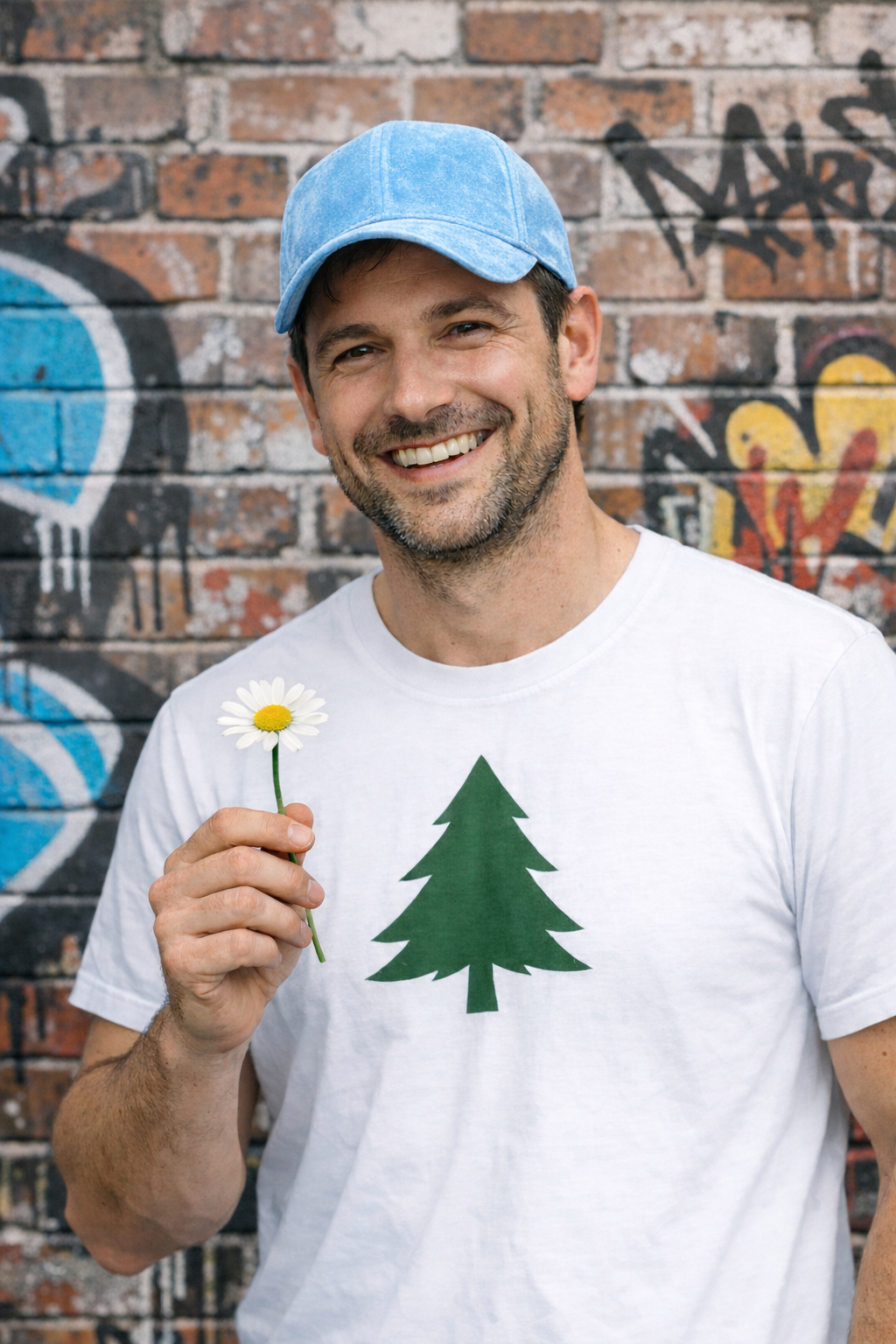 | 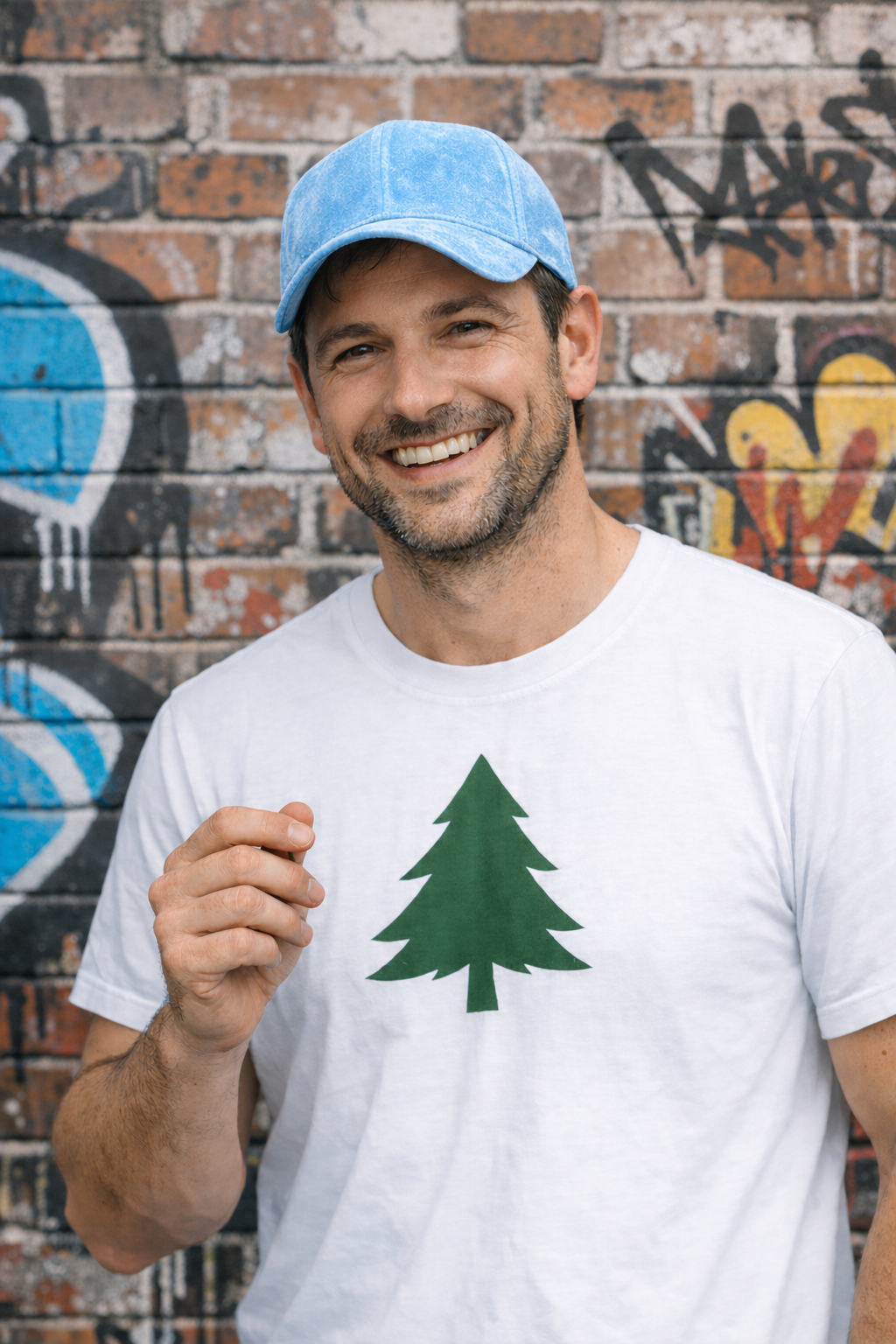 | ## 5.8 将人物插入场景 人物场景合成功能适用于故事板、宣传活动以及需要保留面部/身份信息的“假设”场景。通过指定逼真的摄影风格(自然光照、真实细节、不使用电影调色)来增强真实感,并锁定人物的必要特征。如果条件允许,更高的输入保真度有助于在进行大幅度场景编辑时保持人物的相似度。 ``` python prompt = """ Generate a highly realistic action scene where this person is running away from a large, realistic brown bear attacking a campsite. The image should look like a real photograph someone could have taken, not an overly enhanced or cinematic movie-poster image. She is centered in the image but looking away from the camera, wearing outdoorsy camping attire, with dirt on her face and tears in her clothing. She is clearly afraid but focused on escaping, running away from the bear as it destroys the campsite behind her. The campsite is in Yosemite National Park, with believable natural details. The time of day is dusk, with natural lighting and realistic colors. Everything should feel grounded, authentic, and unstyled, as if captured in a real moment. Avoid cinematic lighting, dramatic color grading, or stylized composition. """ result = client.images.edit( model="gpt-image-2", input_fidelity="high", image=[ open("../../images/input_images/woman_in_museum.png", "rb"), ], prompt=prompt, size="1024x1536", quality="medium", ) save_image(result, "scene_gpt-image-2.png") ``` 输出图像: ``` python from IPython.display import Image, display display(Image(filename="../../images/output_images/scene_gpt-image-2.png", width=500)) ``` ## 5.9 多图像参考与合成 用于将多个输入元素组合成一张逼真的图像——非常适合“将此物体/人物插入到该场景”的工作流程,无需重新生成所有内容。关键在于明确指定要移植的内容(例如,图像 2 中的狗)、移植位置(例如,图像 1 中女人的旁边)以及必须保持不变的内容(例如,场景、背景、构图),同时还要匹配光照、透视、比例和阴影,使合成图像看起来自然地融入原始照片中。 ``` python prompt = """ Place the dog from the second image into the setting of image 1, right next to the woman, use the same style of lighting, composition and background. Do not change anything else. """ result = client.images.edit( model="gpt-image-2", input_fidelity="high", image=[ open("../../images/output_images/test_woman.png", "rb"), open("../../images/output_images/test_woman_2.png", "rb"), ], prompt=prompt, size="1024x1536", quality="medium", ) save_image(result, "test_woman_with_dog_gpt-image-2.png") ``` 输入和输出图像: | 原始输入 | 去除红色条纹 | 更改帽子颜色 | |----|----|----| | 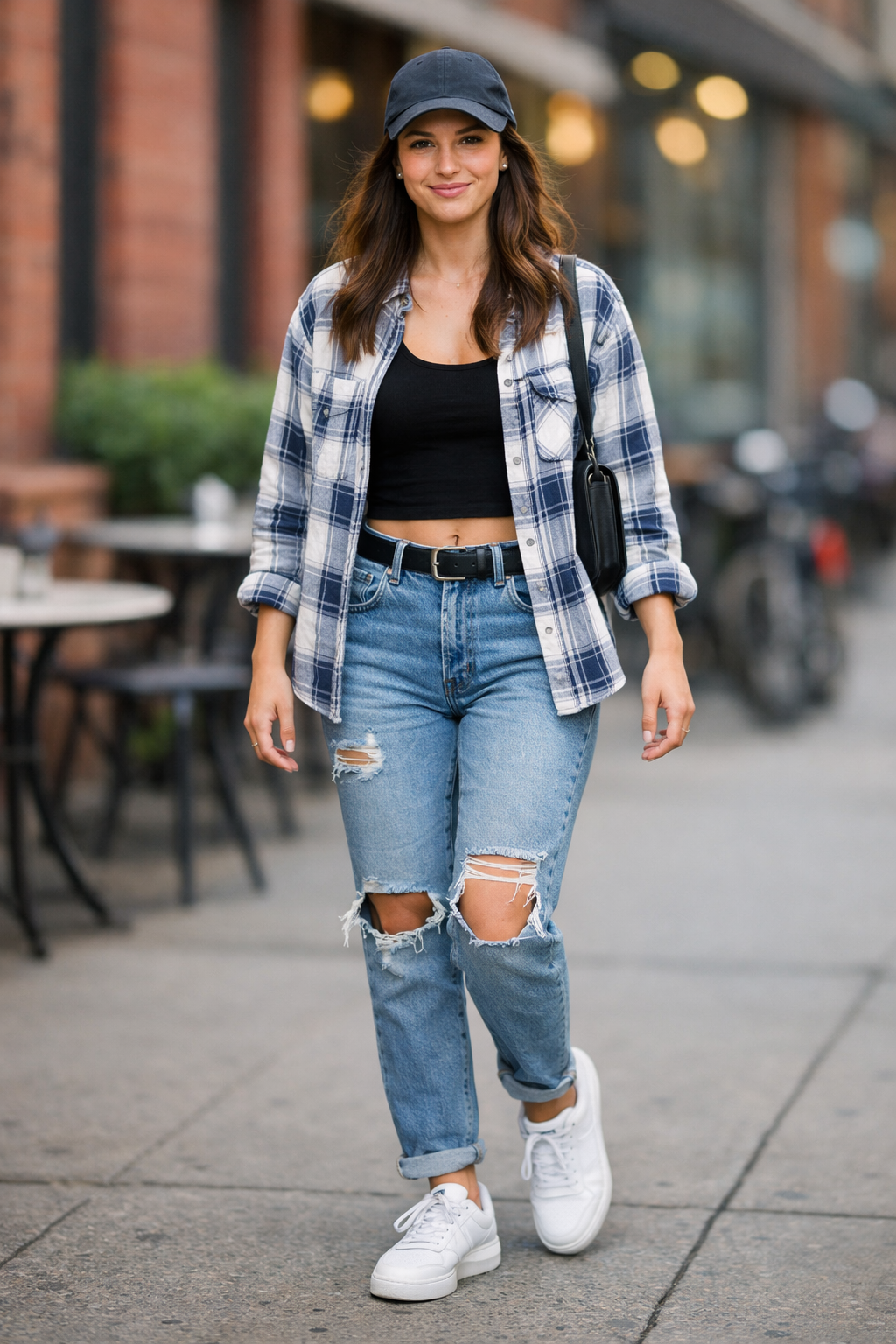 | 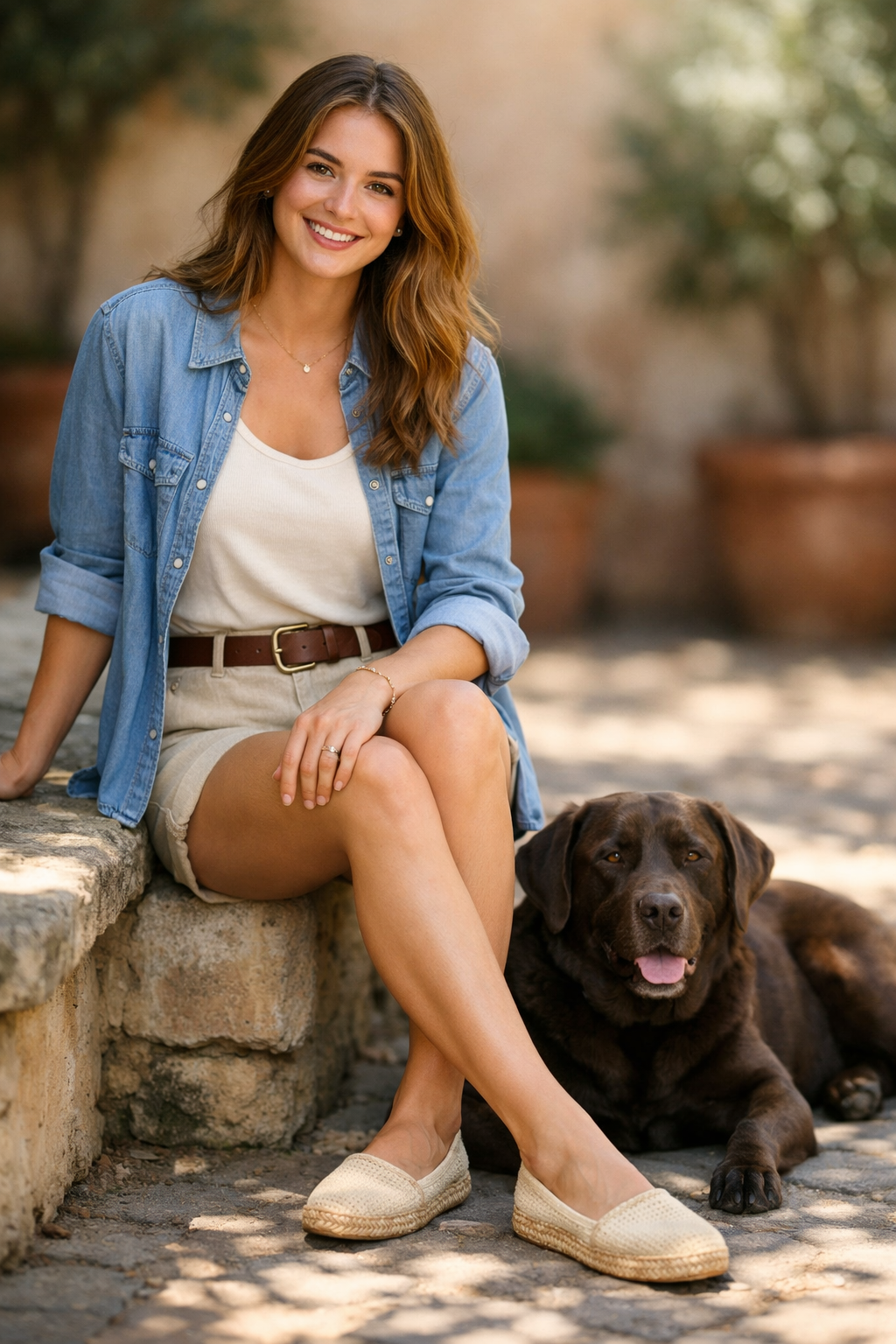 | | ## 6. 其他高价值用例 ## 6.1 室内设计“替换”(精确修改) 用于在真实空间中可视化家具或装饰的更改,而无需重新渲染整个场景。其目标是实现精准的真实感:在保持摄像机角度、光照、阴影和周围环境不变的情况下替换单个物体,使编辑后的效果看起来像一张真实的照片,而不是重新设计。 ``` python prompt = """ In this room photo, replace ONLY white with chairs made of wood. Preserve camera angle, room lighting, floor shadows, and surrounding objects. Keep all other aspects of the image unchanged. Photorealistic contact shadows and fabric texture. """ result = client.images.edit( model="gpt-image-2", image=[ open("../../images/input_images/kitchen.jpeg", "rb"), ], prompt=prompt, size="1536x1024", quality="medium", ) save_image(result, "kitchen-chairs_gpt-image-2.png") ``` 输入和输出图像: | 输入图像 | 输出图像 | 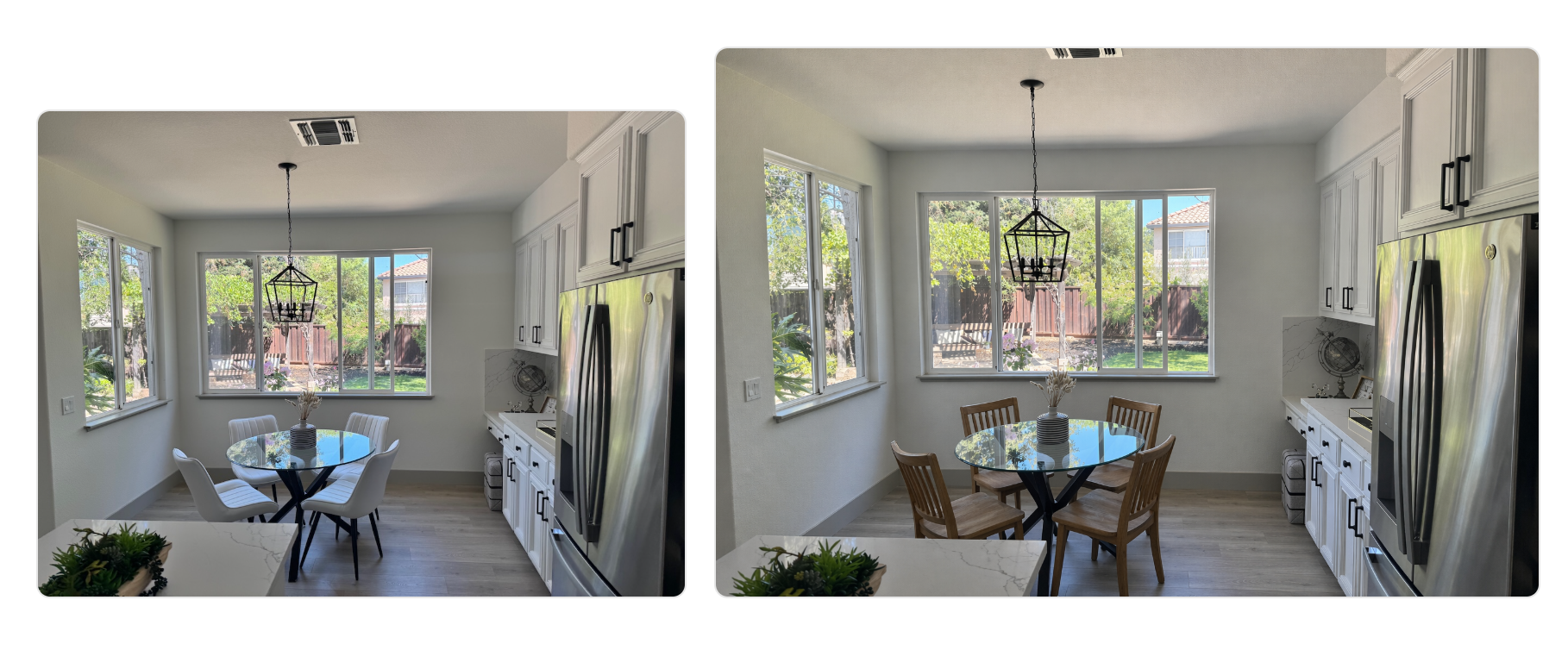 ## 6.2 3D立体弹出式节日贺卡(产品样机) 非常适合用于季节性营销概念和印刷预览。强调触感真实感——纸张层次、纤维、折叠和柔和的摄影棚灯光——使最终效果看起来像是实物照片,而不是平面插图。 ``` python scene_description = ( "a cozy Christmas scene with an old teddy bear sitting inside a keepsake box, " "slightly worn fur, soft stitching repairs, placed near a window with falling snow outside. " "The scene suggests the child has grown up, but the memories remain." ) short_copy = "Merry Christmas — some memories never fade." prompt = f""" Create a Christmas holiday card illustration. Scene: {scene_description} Mood: Warm, nostalgic, gentle, emotional. Style: Premium holiday card photography, soft cinematic lighting, realistic textures, shallow depth of field, tasteful bokeh lights, high print-quality composition. Constraints: - Original artwork only - No trademarks - No watermarks - No logos Include ONLY this card text (verbatim): "{short_copy}" """ result = client.images.generate( model="gpt-image-2", prompt=prompt, size="1024x1536", quality="medium", ) save_image(result, "christmas_holiday_card_teddy_gpt-image-2.png") ``` 输出图像: 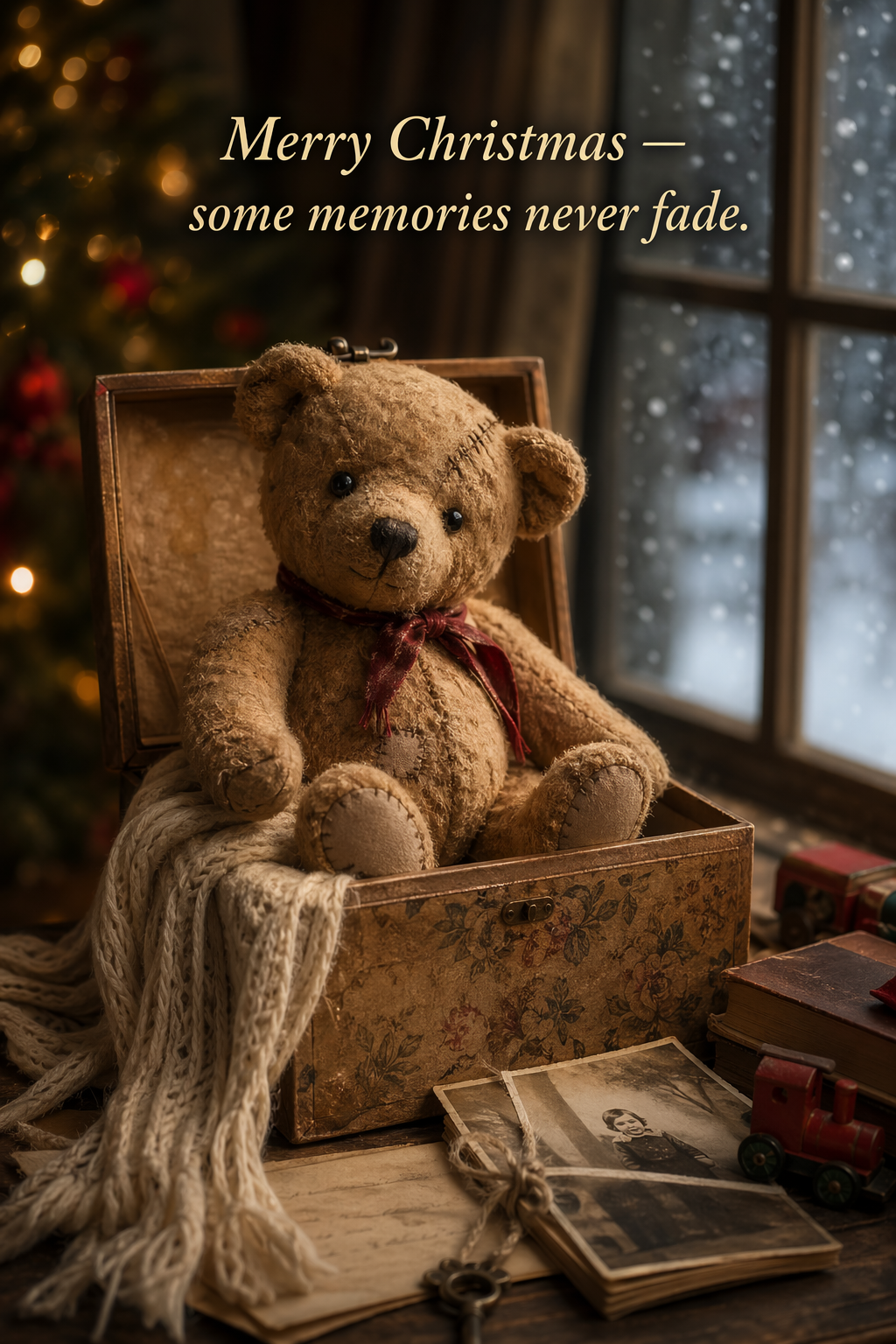 ## 6.3 收藏级可动人偶/毛绒钥匙扣(周边概念) 用于早期商品创意构思和方案视觉设计。专注于高端产品摄影要素(材质、包装、印刷清晰度),同时确保设计原创且不侵权。非常适合快速测试多个角色或包装方案。 ``` python # ---- Inputs ---- character_description = ( "a vintage-style toy propeller airplane with rounded wings, " "a front-mounted spinning propeller, slightly worn paint edges, " "classic childhood proportions, designed as a nostalgic holiday collectible" ) short_copy = "Christmas Memories Edition" # ---- Prompt ---- prompt = f""" Create a collectible action figure of {character_description}, in blister packaging. Concept: A nostalgic holiday collectible inspired by the simple toy airplanes children used to play with during winter holidays. Evokes warmth, imagination, and childhood wonder. Style: Premium toy photography, realistic plastic and painted metal textures, studio lighting, shallow depth of field, sharp label printing, high-end retail presentation. Constraints: - Original design only - No trademarks - No watermarks - No logos Include ONLY this packaging text (verbatim): "{short_copy}" """ result = client.images.generate( model="gpt-image-2", prompt=prompt, size="1024x1536", quality="medium", ) save_image(result, "christmas_collectible_toy_airplane_gpt-image-2.png") ``` 输出图像: 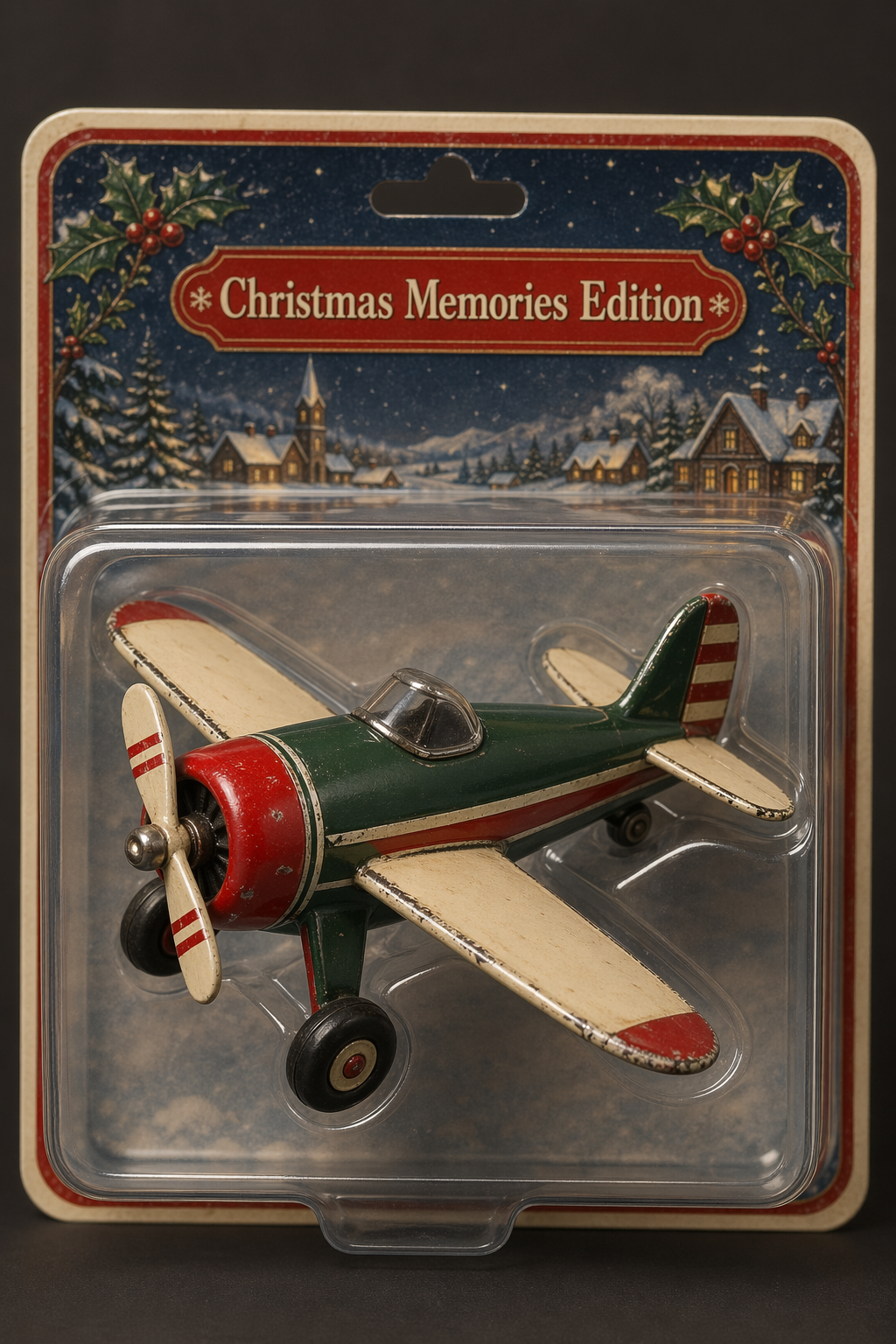 ## 6.4 儿童绘本插画中的角色一致性(多图工作流程) 专为多页插画流程而设计,可有效避免角色偏移。可重复使用的“角色锚点”确保场景、姿势和页面间的视觉连贯性,同时允许环境和叙事上的变化。 1️⃣ 角色锚点——确立可重复使用的主角 目标:确定角色的外貌、比例、服装和气质。 ``` python # ---- Inputs ---- prompt = """ Create a children’s book illustration introducing a main character. Character: A young, storybook-style hero inspired by a little forest outlaw, wearing a simple green hooded tunic, soft brown boots, and a small belt pouch. The character has a kind expression, gentle eyes, and a brave but warm demeanor. Carries a small wooden bow used only for helping, never harming. Theme: The character protects and rescues small forest animals like squirrels, birds, and rabbits. Style: Children’s book illustration, hand-painted watercolor look, soft outlines, warm earthy colors, whimsical and friendly. Proportions suitable for picture books (slightly oversized head, expressive face). Constraints: - Original character (no copyrighted characters) - No text - No watermarks - Plain forest background to clearly showcase the character """ # ---- Image generation ---- result = client.images.generate( model="gpt-image-2", prompt=prompt, size="1024x1536", quality="medium", ) save_image(result, "childrens_book_illustration_1_gpt-image-2.png") ``` 输出图像: 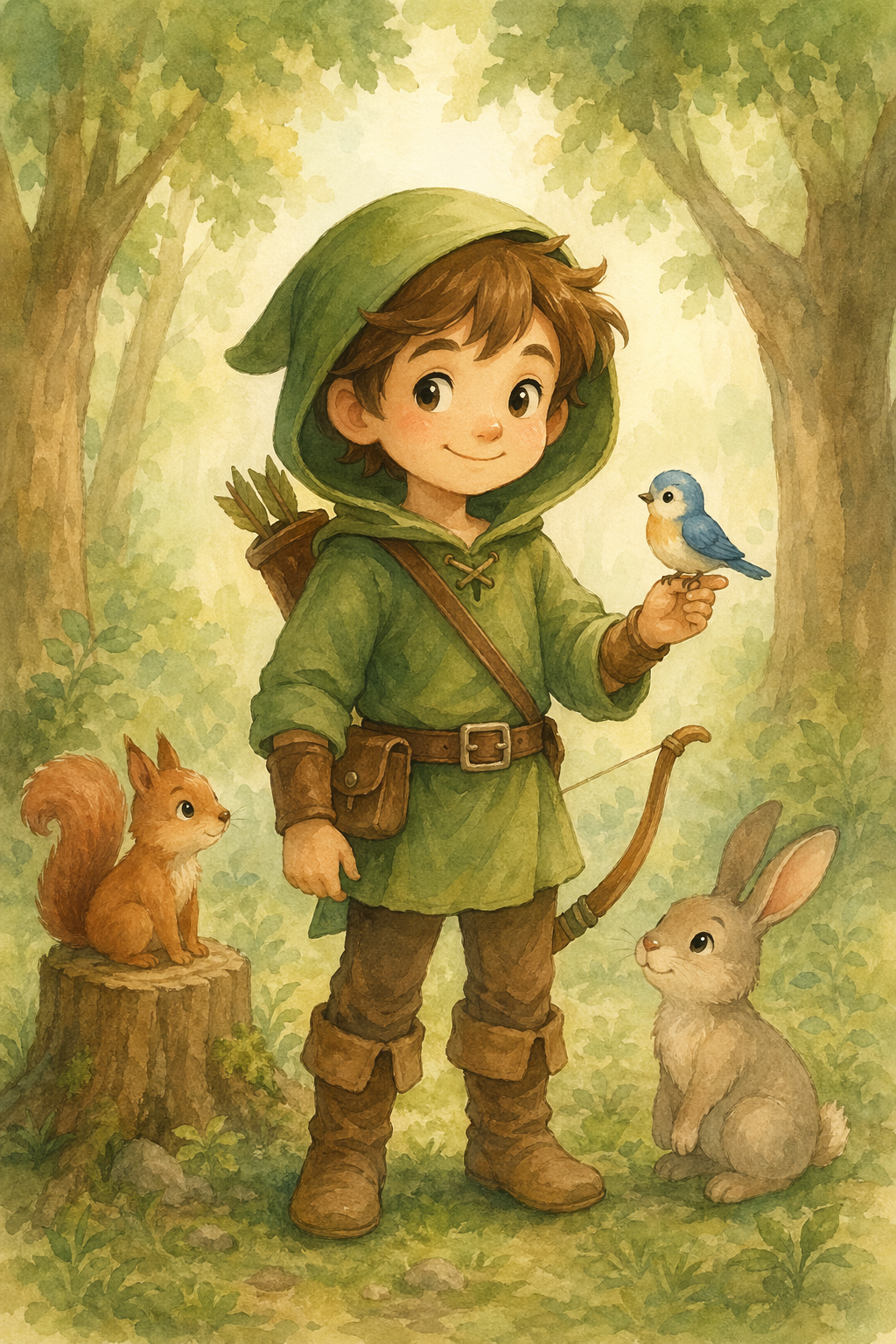 2️⃣ 故事延续——重复使用角色,推进叙事 目标:同一角色,全新场景和动作。角色外貌必须保持不变。 ``` python # ---- Inputs ---- prompt = """ Continue the children’s book story using the same character. Scene: The same young forest hero is gently helping a frightened squirrel out of a fallen tree after a winter storm. The character kneels beside the squirrel, offering reassurance. Character Consistency: - Same green hooded tunic - Same facial features, proportions, and color palette - Same gentle, heroic personality Style: Children’s book watercolor illustration, soft lighting, snowy forest environment, warm and comforting mood. Constraints: - Do not redesign the character - No text - No watermarks """ # ---- Image generation ---- result = client.images.edit( model="gpt-image-2", image=[ open("../../images/output_images/childrens_book_illustration_1_gpt-image-2.png", "rb"), # use image from step 1 ], prompt=prompt, size="1024x1536", quality="medium", ) save_image(result, "childrens_book_illustration_2_gpt-image-2.png") ``` 输出图像: 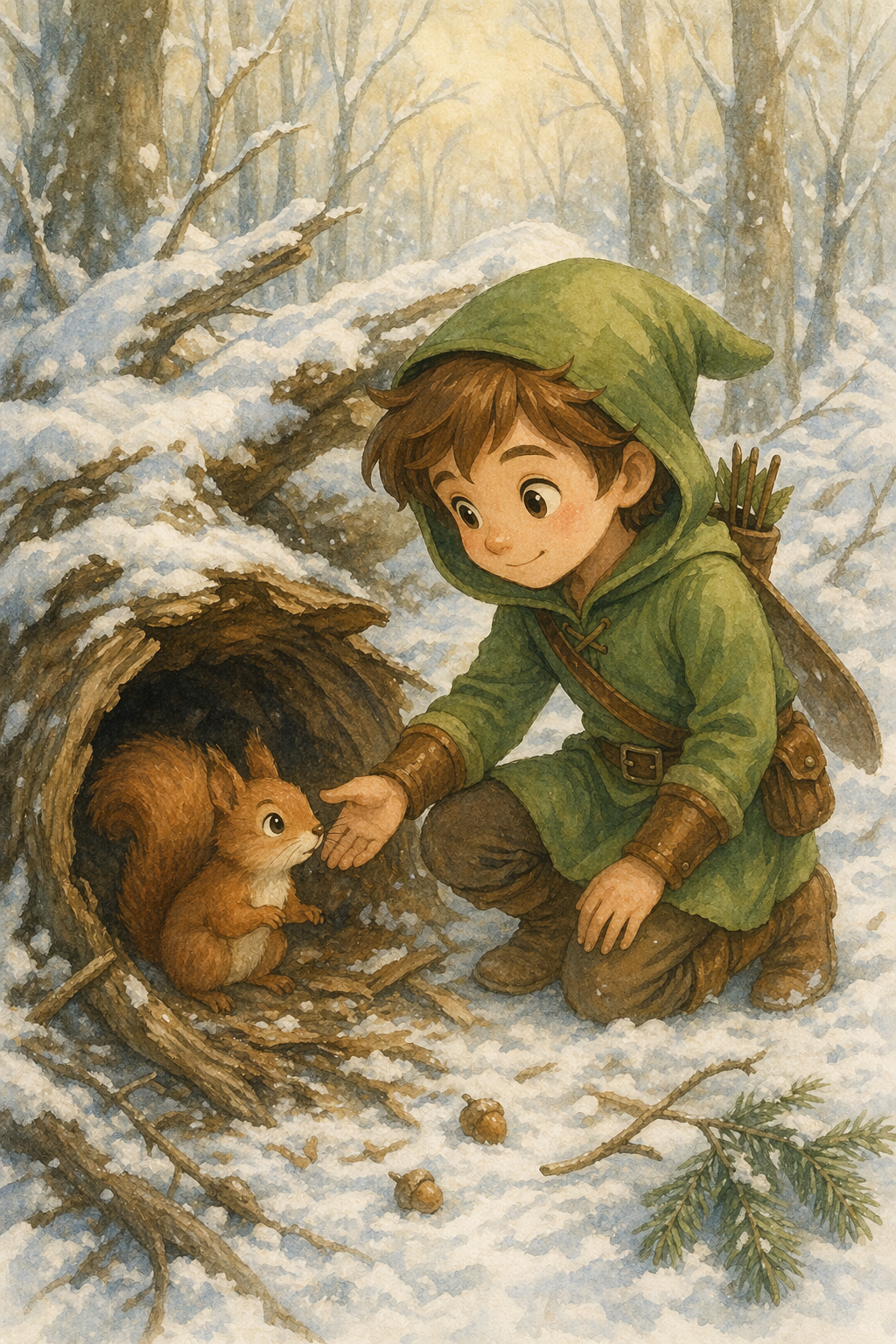 ## 结论 在本笔记本中,我们将演示如何使用 GPT 图像生成模型构建高质量、可控的图像生成和编辑工作流程,使其能够在实际生产环境中稳定运行。本指南强调,清晰的结构、明确的约束和小幅迭代是控制图像真实感、布局、文本准确性和身份保留的主要工具。我们涵盖了各种生成和编辑模式,包括信息图表、照片级真实感图像、UI 模型和徽标,以及图像转换、风格迁移、虚拟试穿、合成和光照调整等。在整个示例中,本指南强调了清晰区分哪些内容需要更改、哪些内容必须保持不变的重要性,并在每次迭代中重新定义这些不变的条件,以防止出现偏差。我们还重点介绍了如何根据具体用例,通过质量和输入保真度设置,在延迟和视觉精度之间进行权衡。总而言之,这些示例构成了一个实用且可重复的操作指南,用于在生产图像工作流程中应用 GPT 图像生成模型。
admin
2026年4月26日 15:03
转发文档
收藏文档
上一篇
下一篇
手机扫码
复制链接
手机扫一扫转发分享
复制链接
Markdown文件
分享
链接
类型
密码
更新密码